# Computer not recognizing Digirig
**URL:** https://forum.digirig.net/t/computer-not-recognizing-digirig/5378
**Category:** Uncategorized
**Tags:** troubleshoot-usb
**Created:** [February 13, 2025, 3:30am UTC](https://forum.digirig.net/t/computer-not-recognizing-digirig/5378 "2025-02-13T03:30:12Z")
**Posts on this page:** 3
**Page:** 1
### Author:  [@ki5hav](https://forum.digirig.net/u/ki5hav)
#### Post date: [February 13, 2025, 3:30am UTC](https://forum.digirig.net/t/computer-not-recognizing-digirig/5378/1 "2025-02-13T03:30:12Z")
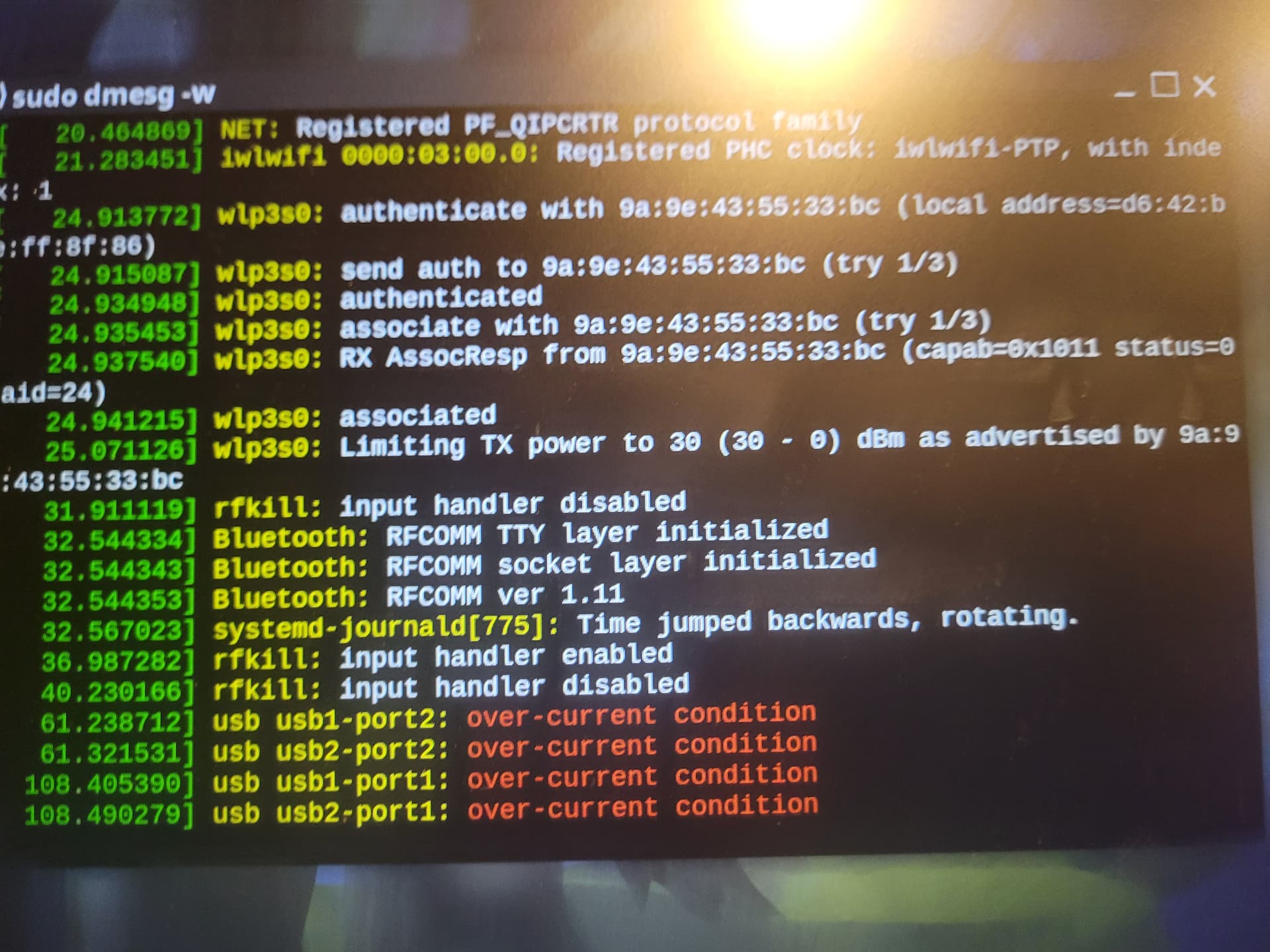
I am using a Windows 10 laptop. For a while, I was able to get Digirig to work with it. But all of a sudden it quit. It did not even show up on Device Manager. I tried reinstalling the drivers. I even did a complete reset on the computer (originally restored it to its original state and ran Windows update). Still did not work and did not show up on Device Manager. I tried my desktop which also runs Windows 10, and it still does not show up on Device Manager. So I took it to the local ham radio club tech night event, and one of their members hooked it up to his Linux computer and got this message in his dmesg window (see attached):
usb usb1-port2: over-current condition
usb usb2-port2: over-current condition
usb usb1-port1: over-current condition
usb usb2-port1: over-current condition
Any ideas?
---
### Author:  [@K0TX](https://forum.digirig.net/u/K0TX)
#### Post date: [February 13, 2025, 4:49am UTC](https://forum.digirig.net/t/computer-not-recognizing-digirig/5378/2 "2025-02-13T04:49:37Z")
Bryan,
I understand that your computer no longer detect the COM port. Do you see Digirig’s audio codec components in the device manager? I would also try a different USB cable for a sanity check. The cable has to be data-capable. Charging-only cable will not work.
As far as Linux report goes, it would be useful to confirm that the overcurrent condition didn’t already exist before plugging Digirig. In either case it should not be on more than one port, certainly not on 4.
---
### Author:  [@ki5hav](https://forum.digirig.net/u/ki5hav)
#### Post date: [February 15, 2025, 8:26pm UTC](https://forum.digirig.net/t/computer-not-recognizing-digirig/5378/3 "2025-02-15T20:26:34Z")
Thanks for your response. I did not see the components in the device manager. I tried a different USB cable. I tried different ports. I tried different computers. And yes - I’m using a data-capable USB cable.
The Linux report came from another person’s laptop. He hooked up my data-ready cable - but thats what it all reported. I don’t have a Linux computer at home - but I can probably rig something up.