# Xiegu G90 - no audio out
**URL:** https://forum.digirig.net/t/xiegu-g90-no-audio-out/904
**Category:** Uncategorized
**Tags:** xiegu-g90, troubleshoot-audio
**Created:** [January 20, 2023, 3:49am UTC](https://forum.digirig.net/t/xiegu-g90-no-audio-out/904 "2023-01-20T03:49:42Z")
**Posts on this page:** 5
**Page:** 1
### Author:  [@K0TX](https://forum.digirig.net/u/K0TX)
#### Post date: [January 20, 2023, 3:49am UTC](https://forum.digirig.net/t/xiegu-g90-no-audio-out/904/1 "2023-01-20T03:49:42Z")
Just finished a troubleshooting session with operator setting up Xiegu G90. He was struggled with no audio from the transceiver. Turned out that it was due to the mode setting; it should be set to “U-D (upper side band digital)”. Older firmware like mine (1.75?) doesn’t have this option and works on regular USB (upper side band).
Other relevant G90 settings: line out level, line in level, and input source (line in for digital).
Tour of older firmware settings for digital modes:
[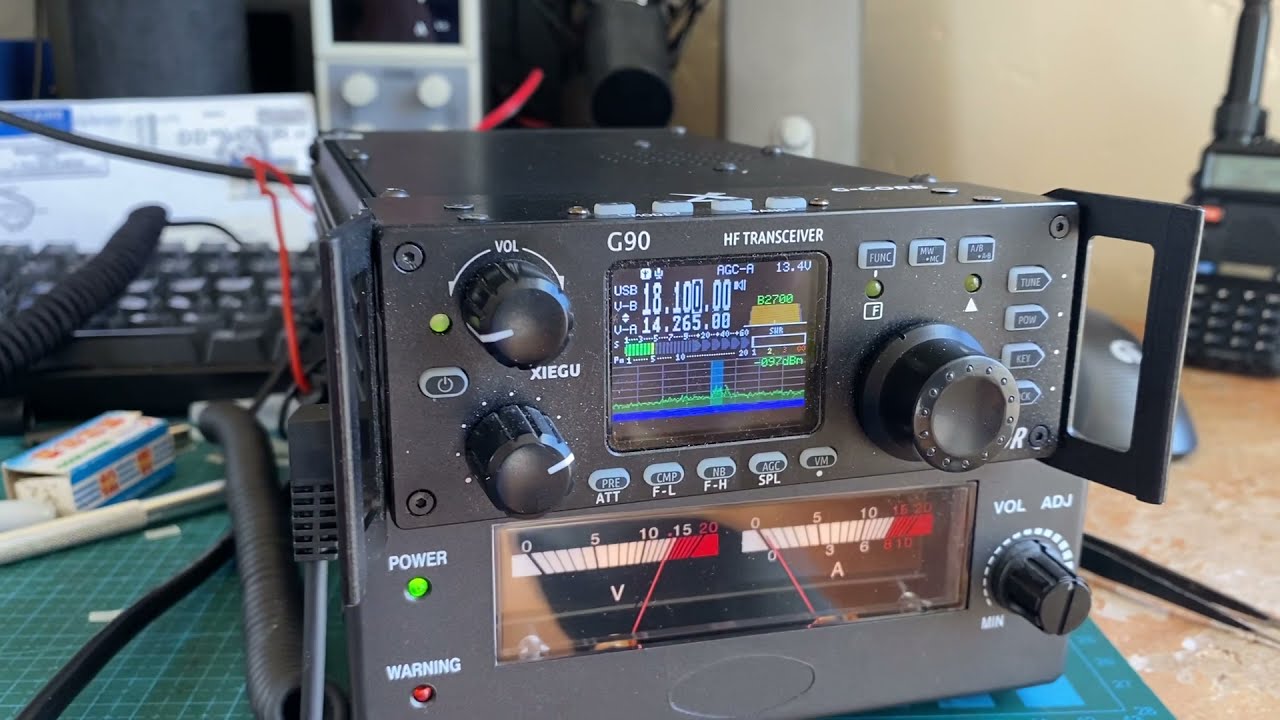 ](https://www.youtube.com/watch?v=KB4jyyJFcfk)
---
### Author:  [@KE8M](https://forum.digirig.net/u/KE8M)
#### Post date: [April 4, 2023, 3:31pm UTC](https://forum.digirig.net/t/xiegu-g90-no-audio-out/904/3 "2023-04-04T15:31:02Z")
I worked on this for 2.5 days I was using USB as soon as I changed it to U-D it took right off. Thank you for the help.
KE8MWQ 73
---
### Author:  [@Drew\_Rinella](https://forum.digirig.net/u/Drew_Rinella)
#### Post date: [August 13, 2023, 12:40pm UTC](https://forum.digirig.net/t/xiegu-g90-no-audio-out/904/4 "2023-08-13T12:40:09Z")
On mine, pre-software upgrade, JS8Call would put out audio on the first USB transmission, and then all subsequent transmissions would have no actual audio output most of the time. I upgraded firmware and selected U-D, and it now works.
Unfortunately it seems that FLRIG hasnt caught up to the new firmware, and U-D cannot be set through FLRIG. It has to be set by pressing the mode button on the radio. This precludes remote operation by VNC. If anyone has found a fix for this please let me know.
---
### Author:  [@Matthew\_Flinchbaugh](https://forum.digirig.net/u/Matthew_Flinchbaugh)
#### Post date: [November 27, 2023, 11:54pm UTC](https://forum.digirig.net/t/xiegu-g90-no-audio-out/904/5 "2023-11-27T23:54:42Z")
You can add custom commands in flrig, I added a button for l-d and u-d
go to config, setup, commands
then for 1, i have label usb-d, command xFE xFE x70 xE0 x26 x00 x01 x01 x01 xFD
for 2, i have label lsb-d, command xFE xFE x70 xE0 x26 x00 x00 x01 x01 xFD
type those 2 commands exactly as I have. this will give you 2 buttons under the A tab of your extra commands (down arrow bottom left corner of flrig)
---
### Author:  [@Drew\_Rinella](https://forum.digirig.net/u/Drew_Rinella)
#### Post date: [December 5, 2023, 2:16am UTC](https://forum.digirig.net/t/xiegu-g90-no-audio-out/904/6 "2023-12-05T02:16:23Z")
That’s awesome Matt. Thank you.