I got a Digirig Mobile hoping to update/upgrade (CAT control and digital modes) my ICOM IC-761.
I believe that I have finally configured the digirig correctly.
Problems (with transceiver off)
N1MM hangs on the opening/splash screen if the device is plugged in to the USB (A) port.
If N1MM is started without the digirig inserted it works, but notes that nothing is connected to com3.
If the device is connected once N1MM is started, the program hangs when trying to save the configuration.
Computer is I5 running Windows 11.
Rig: ICOM IC-761 (with basic CI-V) control.
Hang-up is not a good behavior for the software regardless of what is going on with the COM port. I’d reach out to folks maintaining the app to report the issue.
As far as trying to work around the issue: does this happen if the radio is not connected on the other side of Digirig or if it is powered down?
Thanks so much for the quick response. So far, nothing is consistent.
Yes, these problems occur if the radio is off or not connected to digirig. I checked as below.
I disconnected the digirig and cables from the radio. N1MM by itself seems to run okay, particularly if the Rig chosen is “None.”
Once the digirig (with cables attached to it, but not the radio), the USB connector can connected to the computer and one can get a few things done before the program hangs.
If the digirig is connected to the computer before starting N1MM, the program will hang on the opening splash screen. Unplugging the digirig does not resolve the problem.
I will review the digirig setup instructions to make sure that I haven’t missed anything.
I will contact the N1MM forum and let you know if I’ve made any progress.
I have been unable to control my IC-761 using N1MM+, DXLabs Commander or Omnirig.
Without digirig connected
In general, the programs seem to have some initial functionality, however Windows does not reset the COM ports so rebooting is often necessary to evaluate the effect of any changes.
With digirig installed in the USB Port
The results are variable depending on if the USB cable is inserted before or after the software starts. Generally, the program will be unresponsive if digirig is connected (whether the radio is on or not). If the program is first started (DXLabs Commander seems to work the best) and then digirig is connected, there is generally a port error. N1MM generally hangs or says that the “hardware is not connected.” I do hear some switching in the radio with DXLabs Commander, but there is no rig control.
Please confirm that a separate voltage leveler is not necessary.
All three of the programs listed above say that they will function with the IC-761. I am writing to each to see if anyone can help.
Pretty much with any software, the Digirig should be connected and all hardware detected prior to launching of any apps. Some software may be able to enumerate the hardware changes on-the-fly, but in most cases they don’t.
If you want to rule out the hardware, try using your Digirig kit, try using it with a simpler software setup e.g. WSJT-X app.
Looking at your order I see that you ordered Digirig Mobile in CI-V configuration which is correct variant for your ICOM. No further hardware configuration is required.
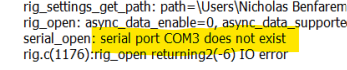
Thanks. I’ve been trying WSJT-X for a week or two without success. There is a Test CAT button which on two seemingly random occasions actually did something and gave the following:
Otherwise the Test CAT button does nothing.
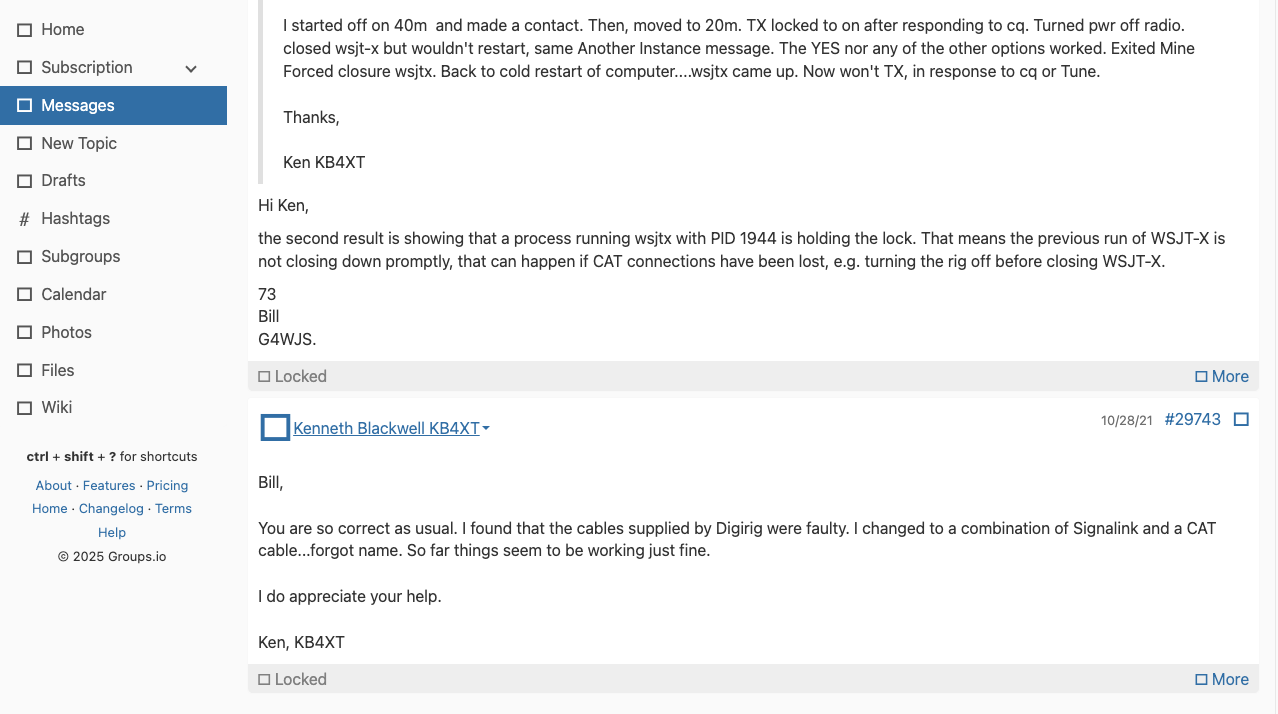
Despite closing WSJT-X there is usually some part of it running in the background which I have to terminate with Device Manager.
Also, I often get a Code 45 that the device is not connected to COM3 and I need to try a few things, including uninstalling and reinstalling the device to get a connection again.
Thanks for your continued support.
Five images (attached) are with the computer, digirig and rig connected, but with the rig off.
The rig was turned on and WSJT-X started. The settings window is shown. The Test CAT button does nothing.
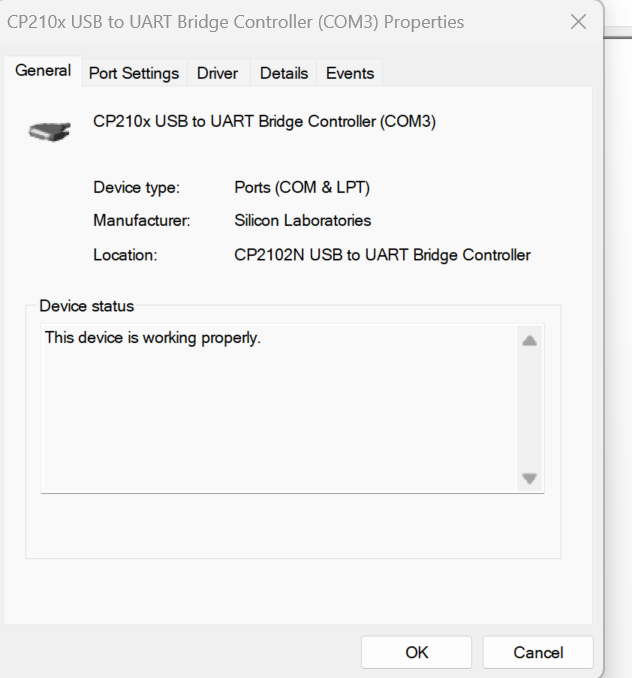
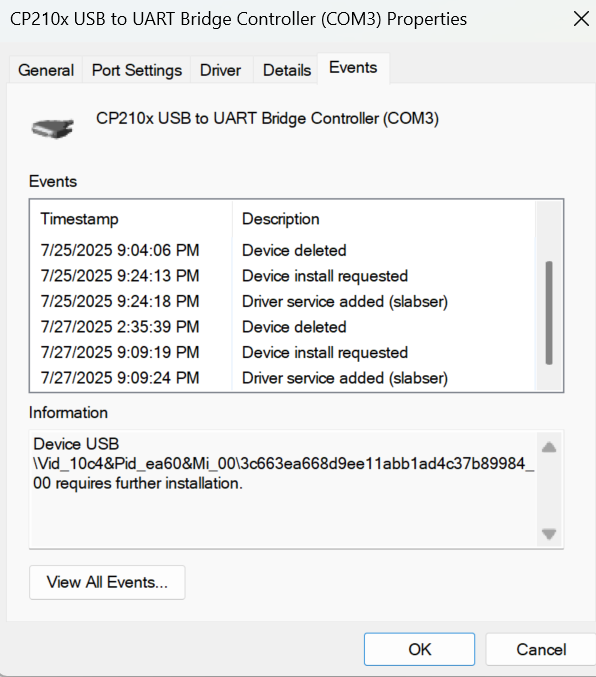
While the rig was on, I checked the COM port again. Two images show that it is attached and working.
The “COM3 does not exist” message indicates that the software is unable to access the serial port. This happens before any communication attempt is made. Getting past this error message is the first order of business even before the transceiver side cables are even connected.
From the screenshots you shared it is clear that the port is detected correctly. Let’s just make sure things are initialized in the correct order:
The COM3 problem was solved by reinstalling digirig and CP210x Controller. See message from 07/30/2025 for images confirming connection and proper functioning.
I can hear some clicking and activation when starting WSJT-X and can even see some signals, however, I have no CAT control and the “Test CAT” button in WSJT-X does nothing. I don’t even see the error panel that I did on one occasion.
I looked up your order and confirmed that you got the correct Digirig configuration for ICOM radios (CI-V).
I also looked up the pictures of the rear panel for ICOM IC-761and I’m not finding 3.5mm remote socket where CI-V connector would normally plug on ICOMs. What is the label on the socket where you plugged the angled 3.5mm jack from Digirig’s serial port?
 Screenshot 2025-07-30 093748.png
 Screenshot 2025-07-30 093847.png