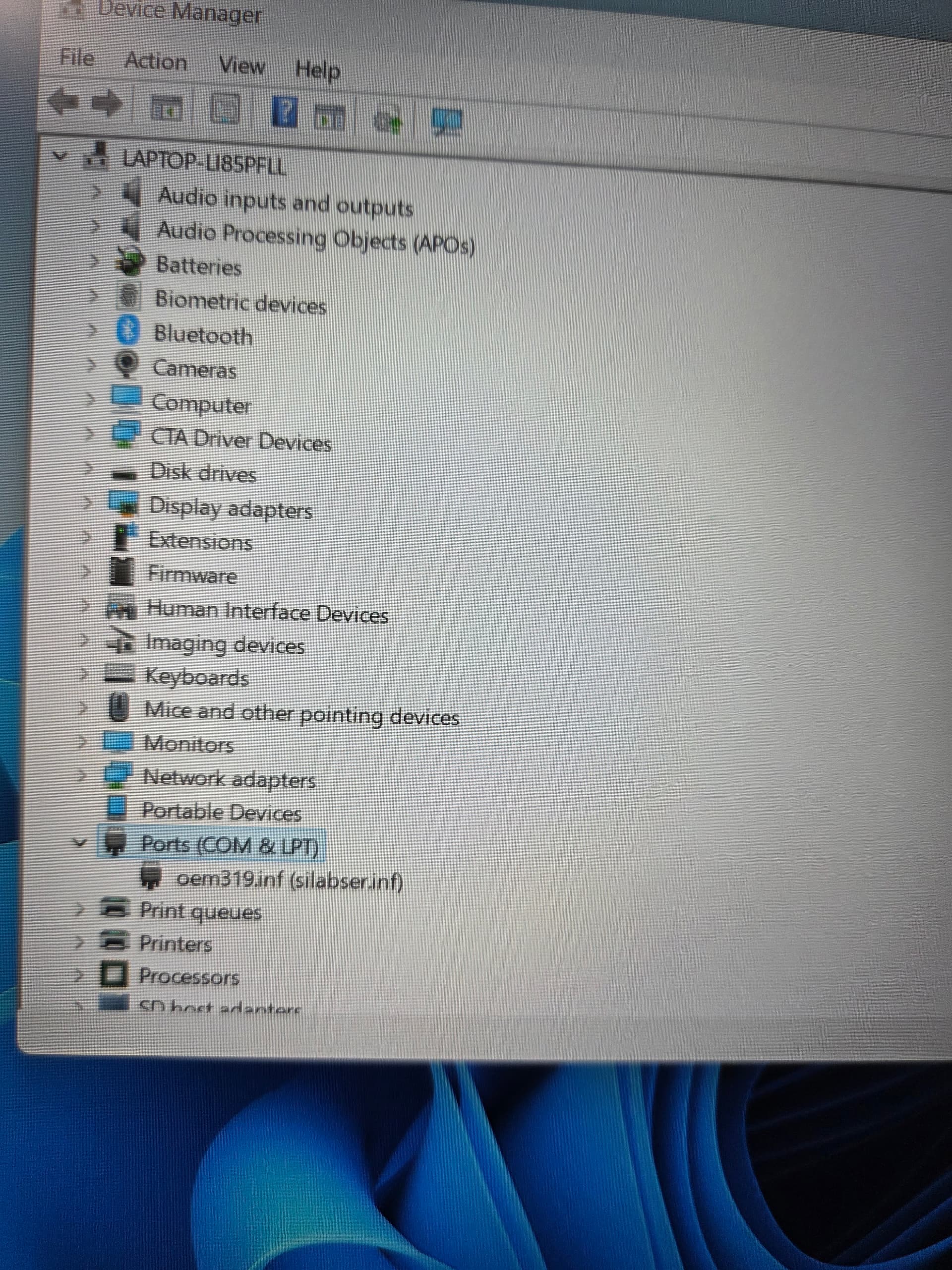
I’m trying to get a DR-891 going. I have downloaded and installed CP210x universal windows driver with confirmation it installed. When I connect the dr and turn Yaesu FT-891 on and check for ports the ports tab is not there. When I hit “view” in device manager “devices by type” the ports tab will show up. When I click on the ports tab it lists “oem319.inf(silabser.inf)” not “Silicon Labs CP210x USB to UART Bridge (com, whatever)”. I have to click on “view” each time I start Device Manager in order for it show the ports tab.
I am using a new laptop with windows 11. I had this problem with my last laptop that bit the dust.
I think I connected to the computer directly. I used a USB to printer cable and plugged it in. Still not showing cp210 driver. It still shows the “oem319.inf(silabser.inf).
With the radio connected directly to the computer are there any entries in the device manager with the yellow exclamation mark sign? Check the “Other” group. We’re looking for anything mentioning “Silicon Labs” in the description.
If you don’t see radio’s serial ports while connecting to the computer directly then the issue is either with the radio or the cable. Do you at least see the list refreshing in the device manager when plugging in the cable from the powered-up radio?
Yes, when I plug in the cable to the computer the list dissapears and comes back. Do you think it may be a corrupted file in the radio? Would it help to update the software?
The fact that the list refreshes tells me that the computer communicates with the radio over USB. Check that you haven’t accidentally disabled the visibility of the radio’s serial devices on your computer. Try “show hidden devices” in the View menu of the Device manager to see if the “Silicon Labs” entries are just invisible.
It still only shows the oem319.inf(silabser.inf). And I have to click on “devices by type” before it shows that. In case it matters yesterday I did an all reset in the radio. I also received a new coiled USB cable today which I am using now. Also this is a new laptop. I also could not get it to work on my old Laptop. I appreciate you hanging in here with me
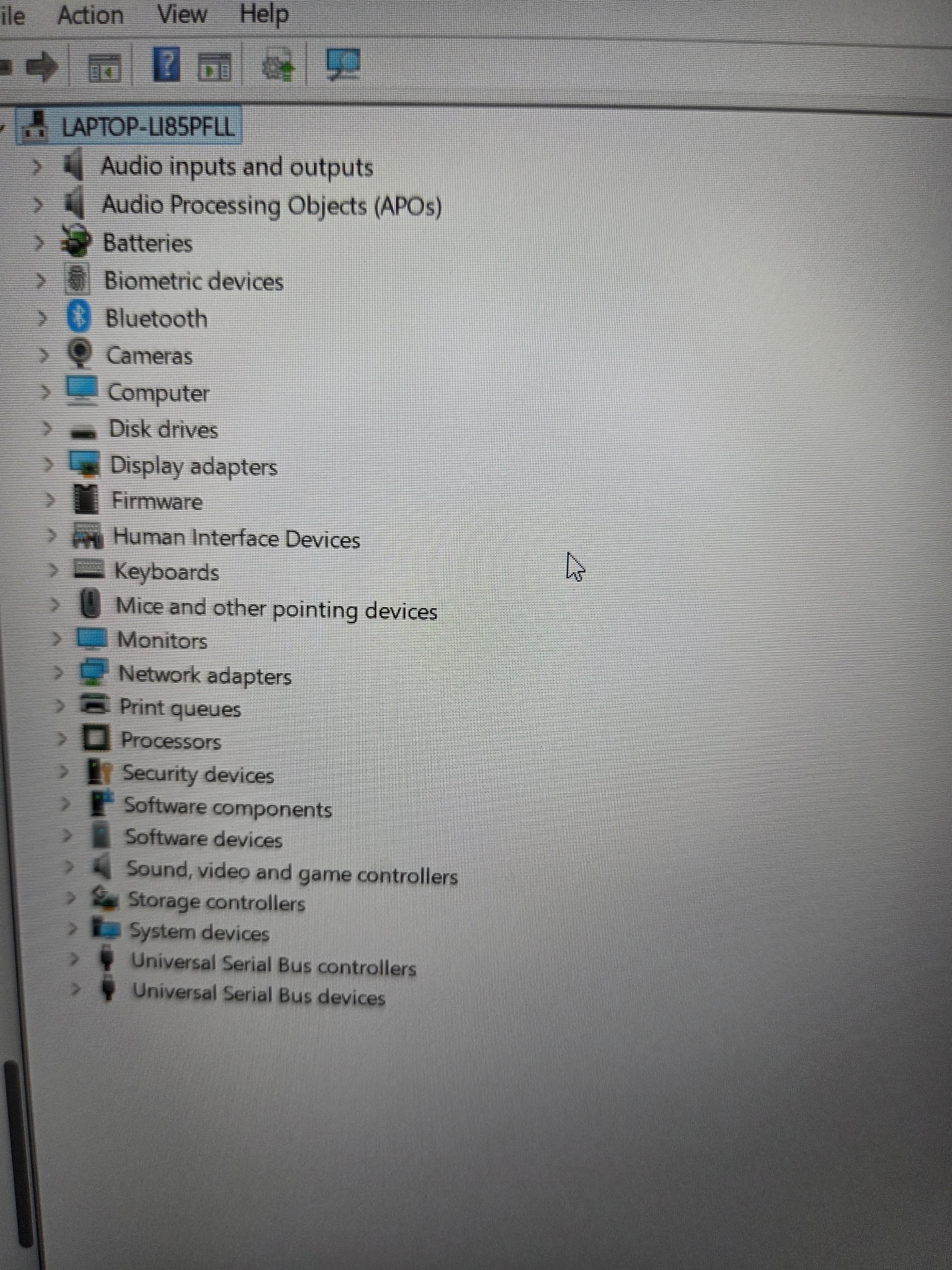
The one pic shows device manager at start up. The other shows the ports tab after clicking drivers by type. After clicking drivers by type and showing the ports tab I can unplug the cable from the computer and it refreshes and comes back with ports tab listed. If I close Device manager and restart it I have to click drivers by type again to show the ports tab. I had to take the pics with my phone. The computer will not let me do a screenshot of device manager
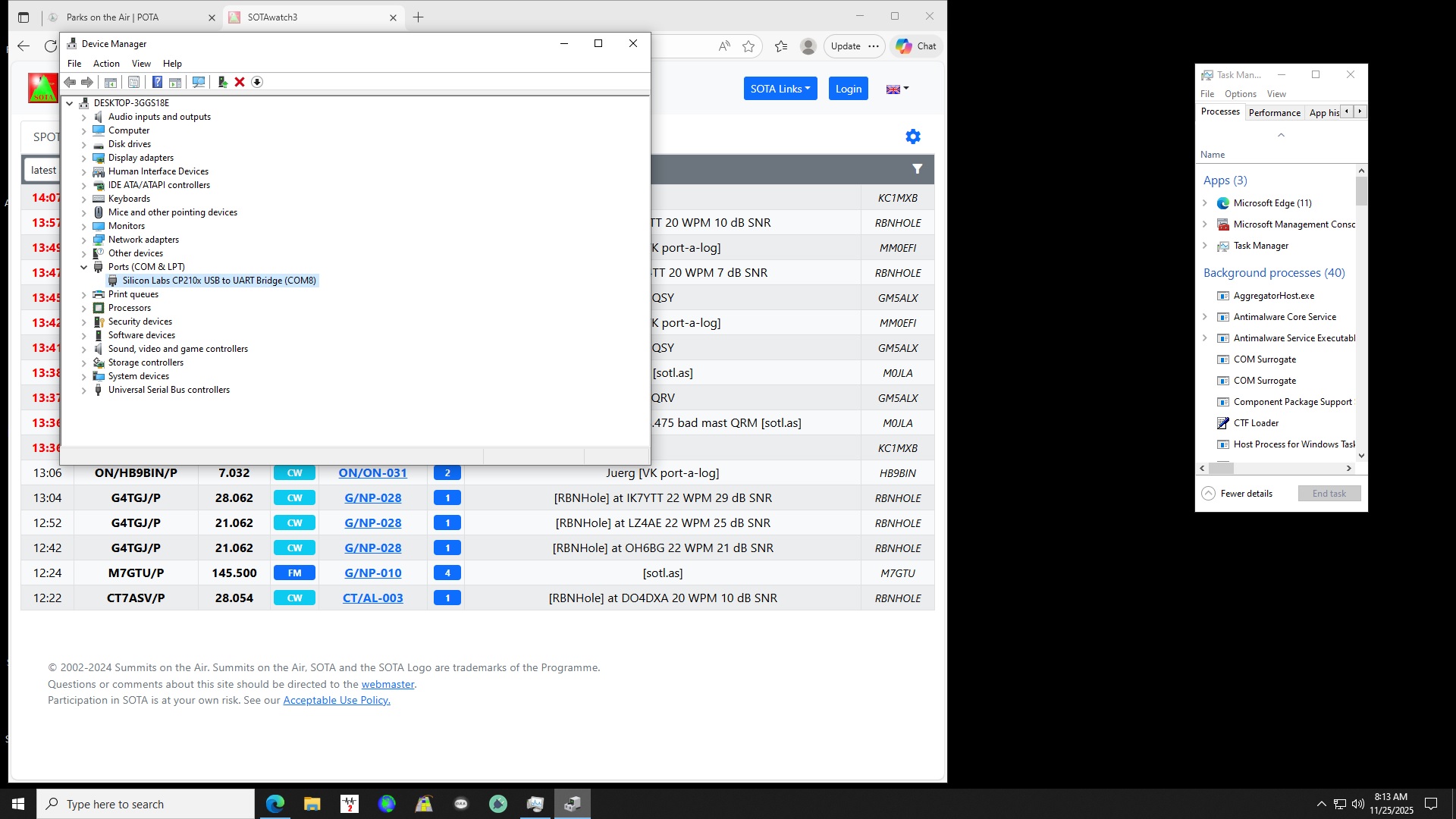
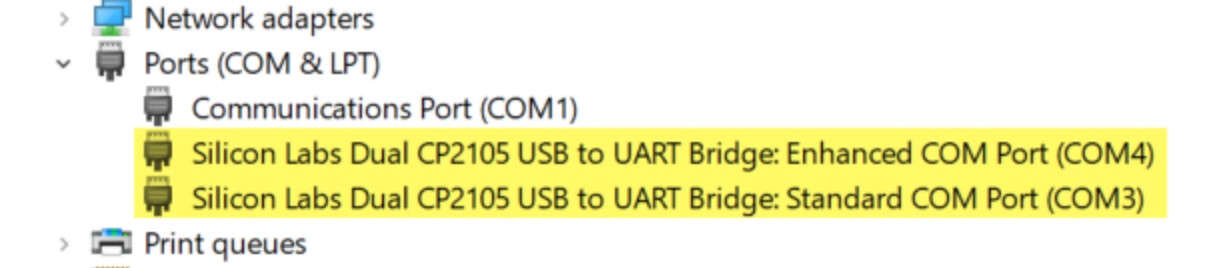
That silabser.inf entry doesn’t look right for FT-891’s ports. You can try removing it and trying the driver install as outlined in Yaesu’s documentation or in Digirig’s setup tutorial. Regardless if you connect through Digirig or directly, with FT-891 we’re looking for two serial ports that look similar to this:
Hi Gary, I had weird problems with the Silicon Labs drivers as well for my FT891. Mine was one of the first ones never produced and I’ve never upgraded the firmware on it because that’s not a trivial process. Here is what I did to resolve it: 1) remove all current sililcon labs drivers from windows 2) download the silicon labs drivers directly from the Yaesu FT891 product page 3) install those drivers. Those drivers will work with both the digirig 891 and the regular digirig that uses two cables. It’s worth noting that the Yaesu uses a different product code than the digirig/standard SL drivers, and you can see this in the device description. The yaesu ft891 is a tricky radio to configure and get working properly with applications like js8call. Fortunately, there are a lot of good folks here whom have done it and are willing to help.
Hi Gruic, I downloaded the driver from Yaesu extracted and installed with confirmation. That is where I got the driver to start with. I have a standard digirig and it worked fine on my desktop. I did the same for this computer. I guess I’ll just have to keep using my Signalink with vox. Thanks for the comment
Did you have the radio connected to the computer while you were installing the drivers? I know you said it worked with your desktop, but if you have a different usb cable, you might try testing it.