I’m getting a UART failure: the cable that plugs into the Digirig will not communicate with the radio in VARA FM. Why? Anyone, please.
O.S. is Windows 11.
What am I doing wrong?
Thanks
I’m getting a UART failure: the cable that plugs into the Digirig will not communicate with the radio in VARA FM. Why? Anyone, please.
O.S. is Windows 11.
What am I doing wrong?
Thanks
Let’s get it figured out. Can you please share the screenshots showing Digirig’s COM port in the device manager and the VaraFM configuration referencing it?
I plug the cable in, and there is no problem until I plug in the 88 Digirig, at which point a yellow caution sign appears. Therefore, I am unable to see the Radio or configure VARA FM. Without it, seeing the digirig, the port number is incorrect #_0001. I may have just got a quirkie digirig or the wrong one for the FTM 150 R.
I am running Windows 11 on an i7 laptop with 32 gig of ram—Treca, by Dynabook.
Thank you,
Don Jones, W5JX
(210) 374-1776

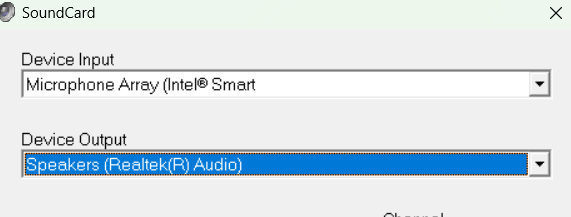
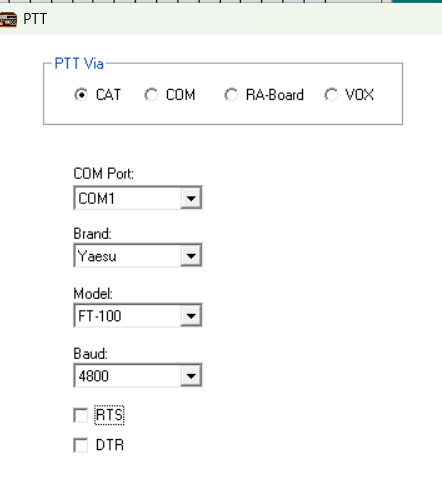
Unable to see Digirig and only get a yellow error when Digirig is plugged in. I have not made it to the Radio, yet. FTM-150R New
The COM1 you reference in the configuration does not belong to Digirig. Digirig’s COM port (an entry with the exclamation mark) is not assigned a number because it’s missing a driver. Please check out the setup tutorial for the download link and installation instructions.
The sound card components selected do not belong to Digirig and appear to be from your computer’s internal sound card. You’ll need to make adjustments. This subject is also covered in the setup tutorial.