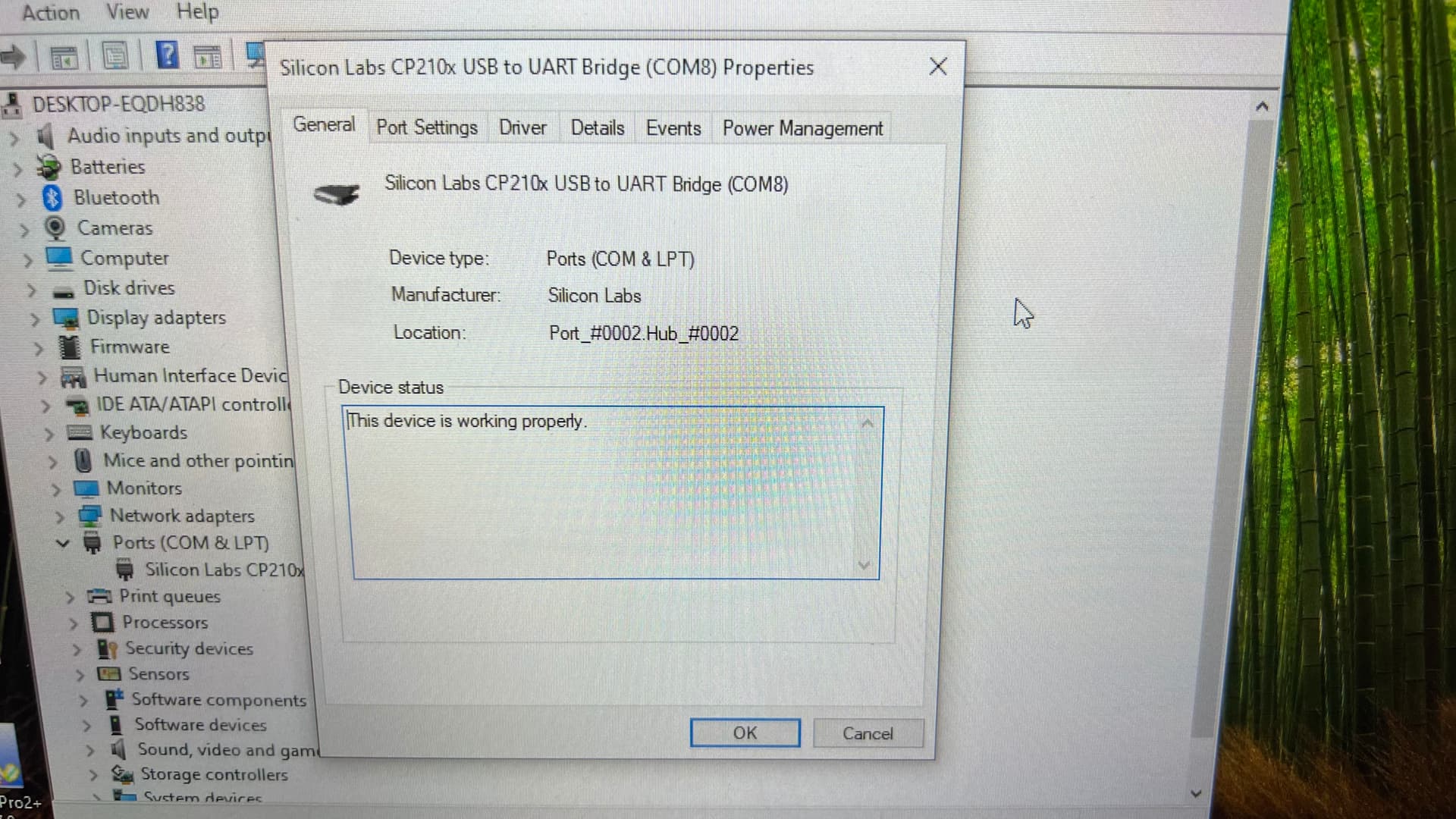
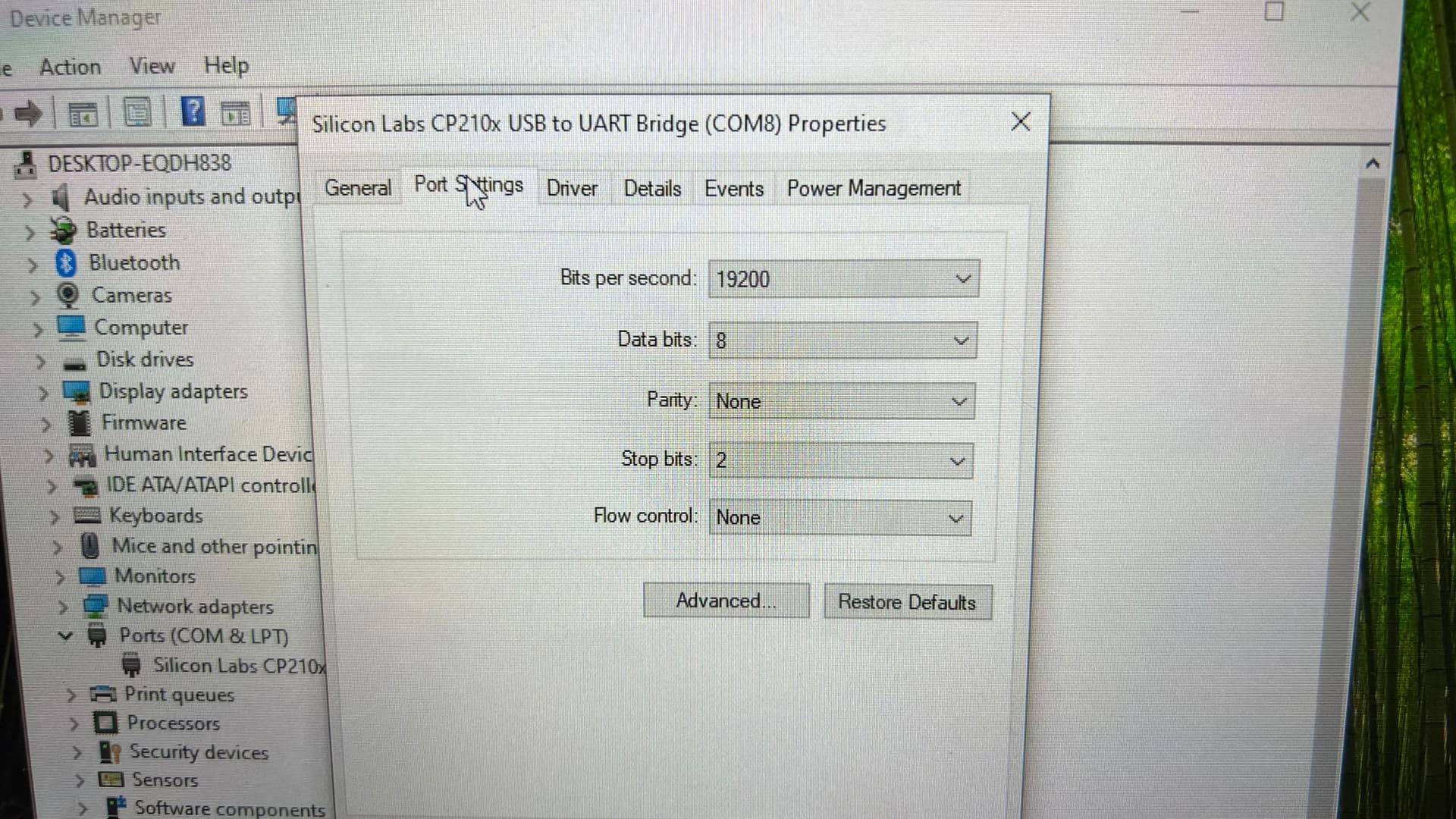
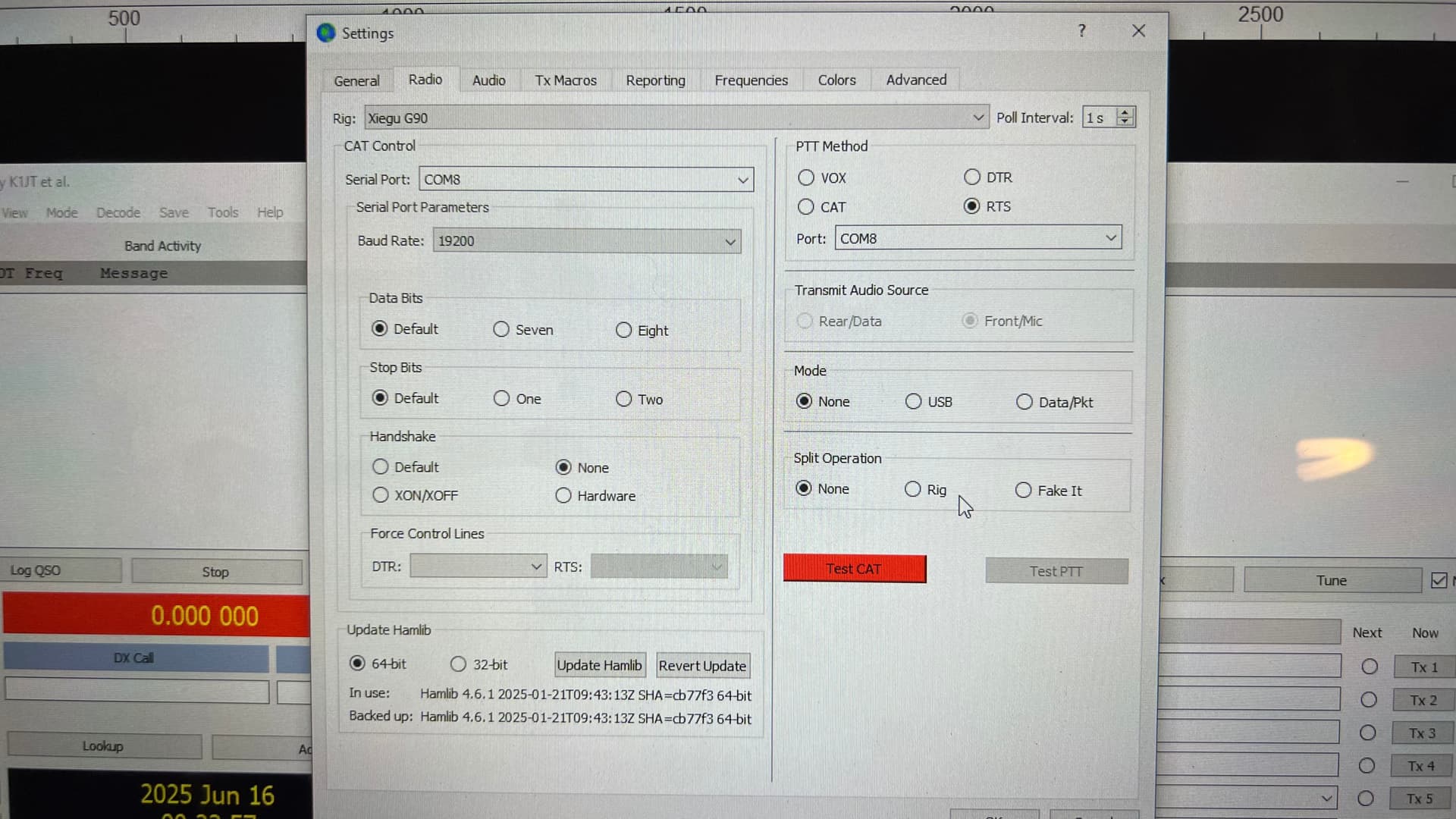
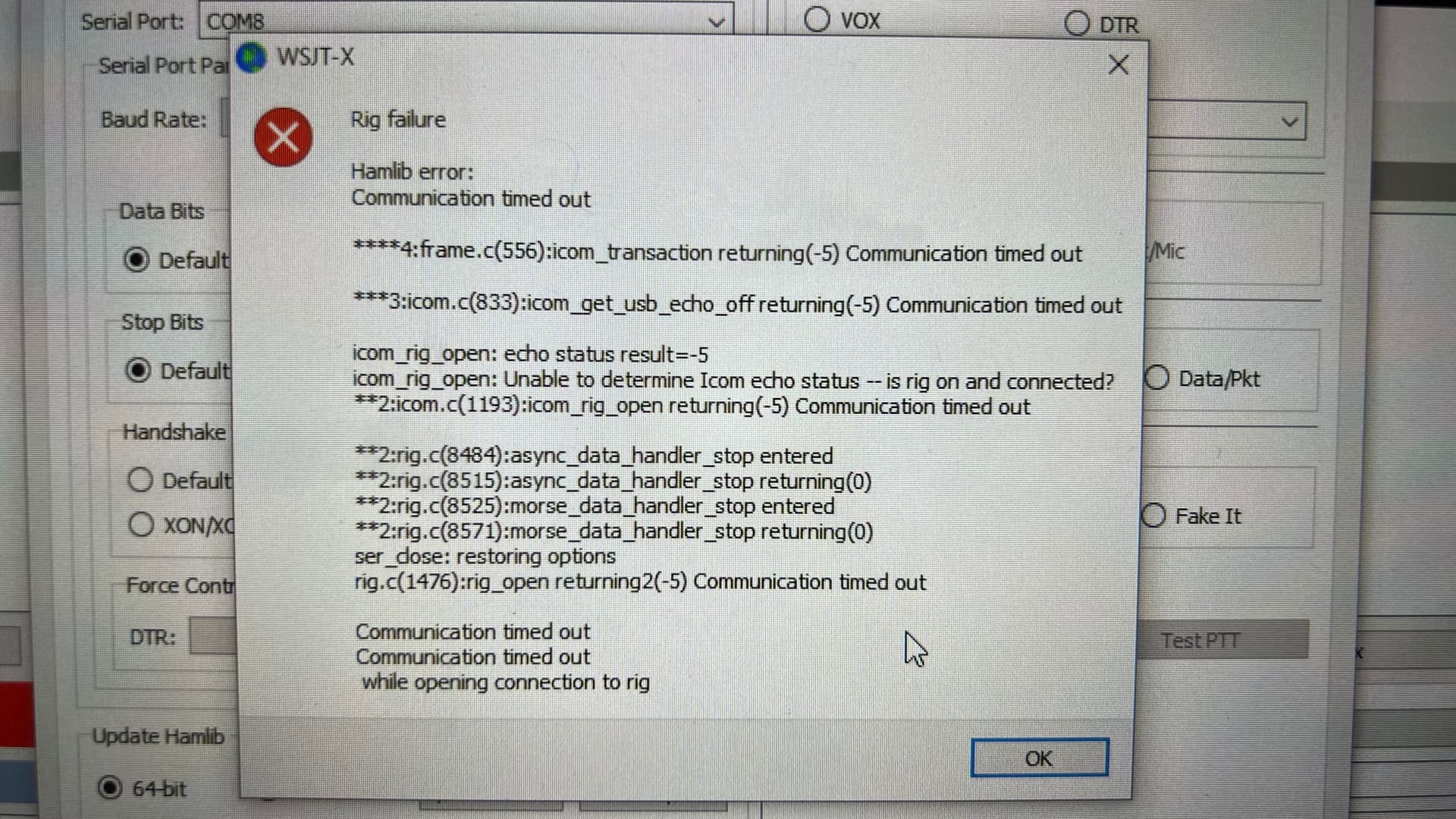
I can’t seem to get the G90 to work with the Digirig and WSJT-X (or JS8CALL) no matter what I do. I’ve tried it via flrig as well with no luck. I’ve followed countless tutorials and read lots of threads here to no avail, not sure what the issue is.
The Digirig works fine with my TruSDX and FT-891. All of my cables are brand new from Digirig, including the USB cable.
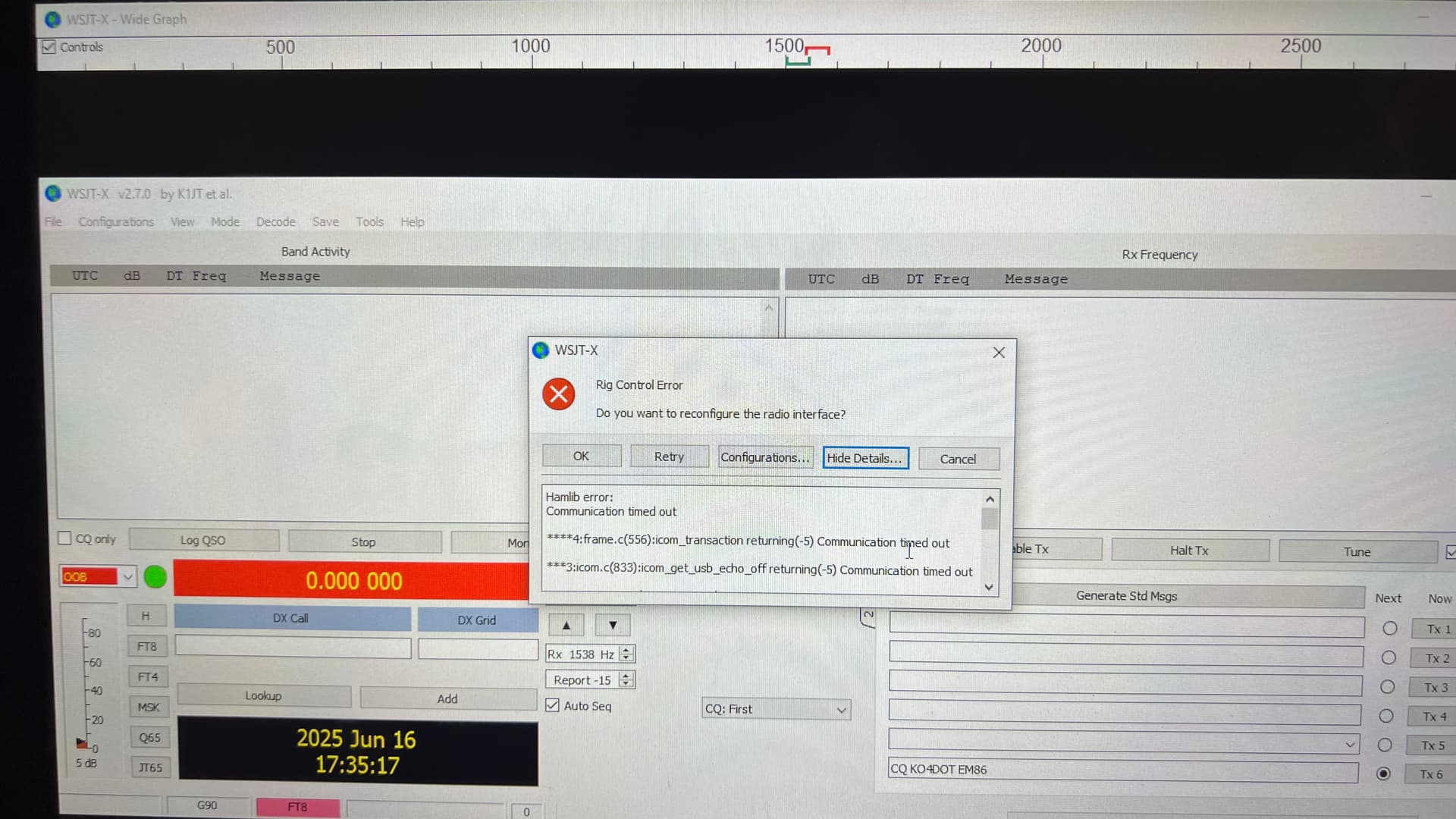
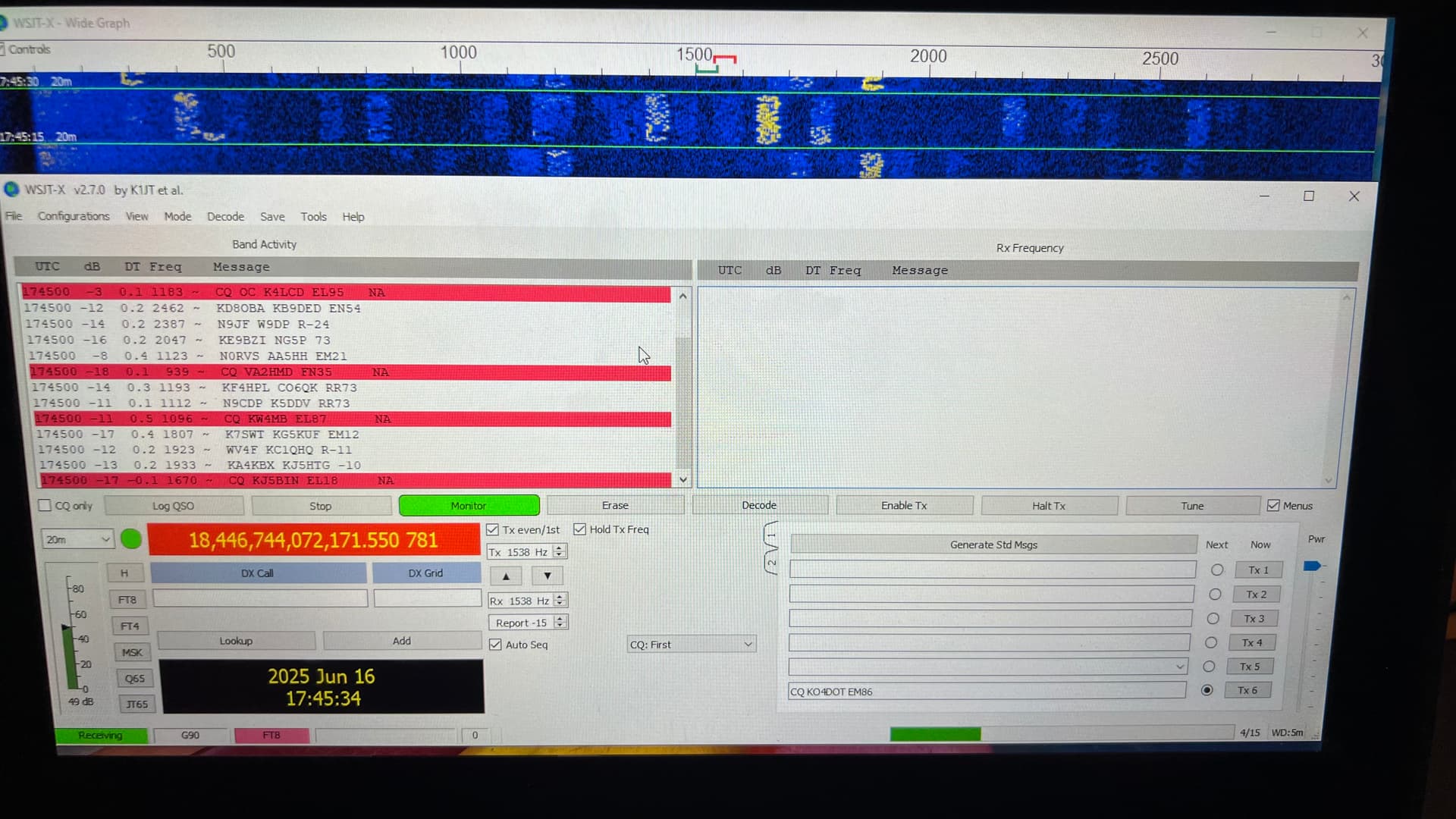
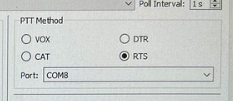
Pics below are of my config and the error message I’m getting.
Let me know what I need to change.
Are you able to get a successful CAT test with the native blue USB dongle that came with the radio? Trying that will help you isolate the issue between the hardware and software.
There should be no rig control related errors with rig control disabled.
Make sure you select “None” in the list of the transceivers in the configuration screen. That should disable all settings on the left side of the form.
Thank you for the update. Sounds like cable is ok. Digirig is also ok as you reported earlier.
That doesn’t leave a lot of possibilities.
Without the serial CAT control involved (rig=NONE), the configuration of WSJT-X is exactly the same between all three of your radios including PTT by RTS. Try getting one of the other two radios working as you reported earlier and then just swap to G90 without touching anything on the computer.
I just got it set up with my FT-891. I have cat control of the VFO, but I still don’t have any PTT control, and I tried both CAT and RTS.
EDIT: I should add that it’s been a long time since I used the Digirig w/ the 891, it’s been packed away for at least a year until I tried to get it running with the G90 a few days ago. And the TruSDX died last week, so I can’t test that, but I’d been running the TruSDX direct via USB anyway.
Check that the radio is in U-D mode.
I use FLRig with WSJT-x, Flidigi and JS8call. However, I use the Icom IC-7000 rig setup for FLRig and FLRig as the rig for the other software. I used the G90 as the rig before I updated the firmware . I think the latest G90 firmware, 1.8, may not be compatible with the old G90 setup.
Baud 19200
8 bits and 1 stop bits
In WSJT-X
PTT MODE CAT
MODE USB
SPLIT OPERATION FAKE
Also exit WSJTX and Flrig and shut down your computer, unplug your serial CAT USB. Turn on radio, Restart computer and plug in CAT USB. Check your Com #. Then open FLRig (you may need to initialize) and WSJTX. Hope this works. Test CAT.
If you want to setup WSJTX with G90. Use IC-7000 or Ic -750 Pro as the rig.
I often shut down and just start over
I’ve already done most all of that. I’m pretty sure it’s an issue with the Digirig itself because I’m experiencing the same problem across multiple radios and multiple computers.