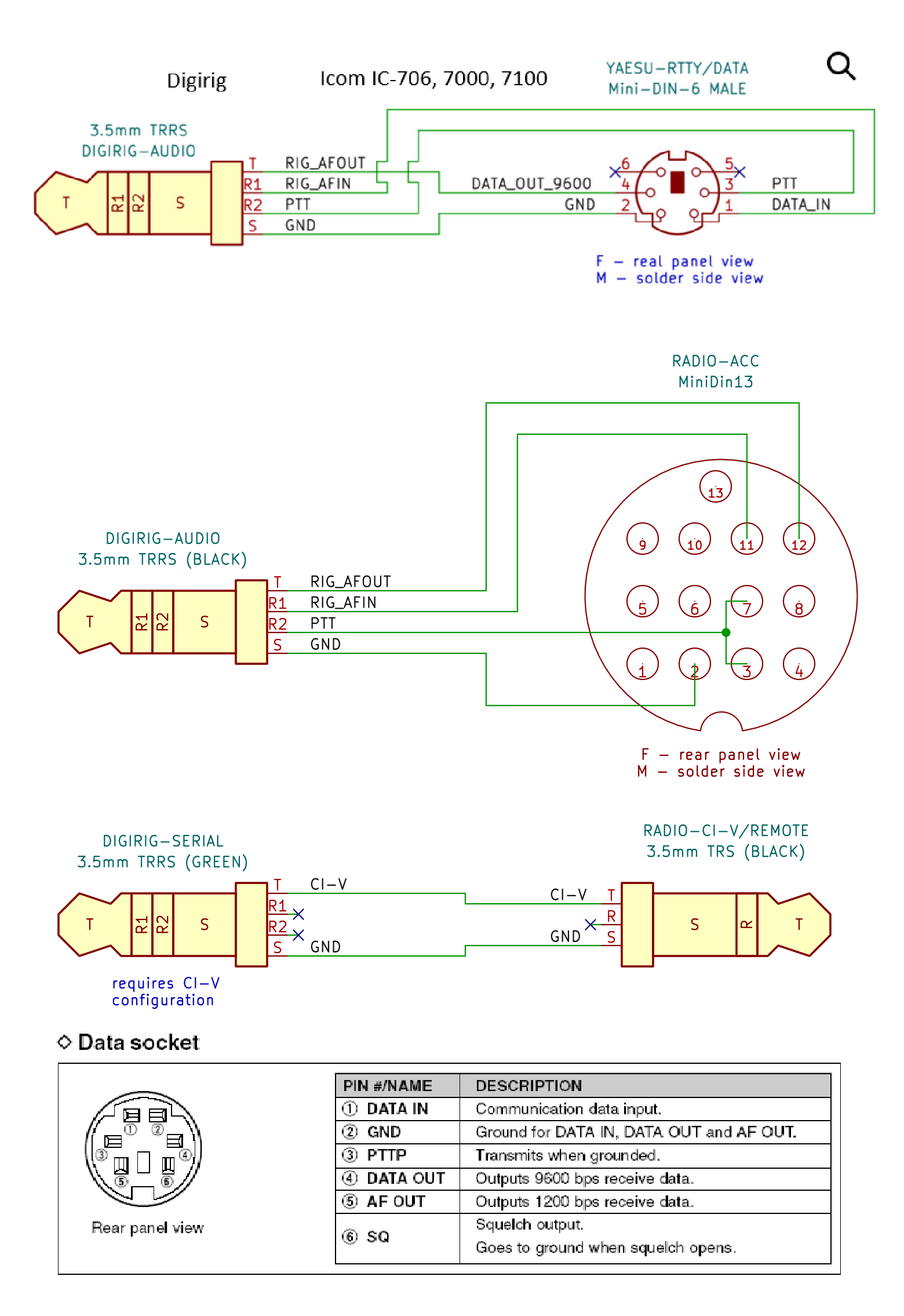
I recently purchased a Digirig (Icom model - that supports CI-V). I have the following:
Digirig Audio - 13-pin accessory port on the back of the IC-7100
Digirig Serial - CI-V port on the back of the IC-7100
I have the USB cable connected to a Windows machine running Windows 11. The USB Serial interface was recognized without any issues. The audio input/output were also recognized without any issues.
I’ve been trying to use WSJT-X and Direwolf to test TX/RX. I can verify that Digirig is receiving audio and can PTT key the radio (via CI-V).
I have the Monitor option enabled on the IC-7100. I cannot hear audio transmitting when I key the radio/send an audio signal. I also do not see any activity on the VU meter on the front panel of the IC-7100.
Could someone provide some insight as to where to start looking to debug this issue?
Hello, I have a similar issue with Digirig and a Icom IC-7100. I use the Data (6-pin din) connector for audio signals. RX works very well, but there is no TX audio sent by the radio. I checked the cable with another Icom radio, and it works well on TX, so the cable, the Digirig & the sofware are OK. It looks like the IC-7100 doesn’t use the TX audio on data connector. I tried every possible setup in the “connectors” menu (Data mod, Data mod off, etc), but still no TX audio. Any idea? Thank you. VE2BAP
I found the issue and the solution! On Data2 connector, to allow TX audio transmission, the PTT must be activated through the PTT pin on this connector. WSJT uses CI-V (CAT) PTT command, so this explains the issue I had.
In WSJT I changed CAT PTT for RTS PTT, and this works just fine now.