I am new to WinLink / VARA. Just sticking my oar in with what I know so far.
I have set up my V71 to use 9600 baud.
WH6OHM: “TM-V71A PC → Digirig Serial (green port)” - Not sure what you expect here. This cable doesn’t work at all as far as I know. See my other posts. It might work here, if the V71 doesn’t need to handshake with digirig for VARA. But it is not capable of handshaking with digirig 1.9.
TM-V71A Data → Digirig audio (9600 cable; black port)
TM-V71A set to 9600 data speed
digirig registers as COM8.
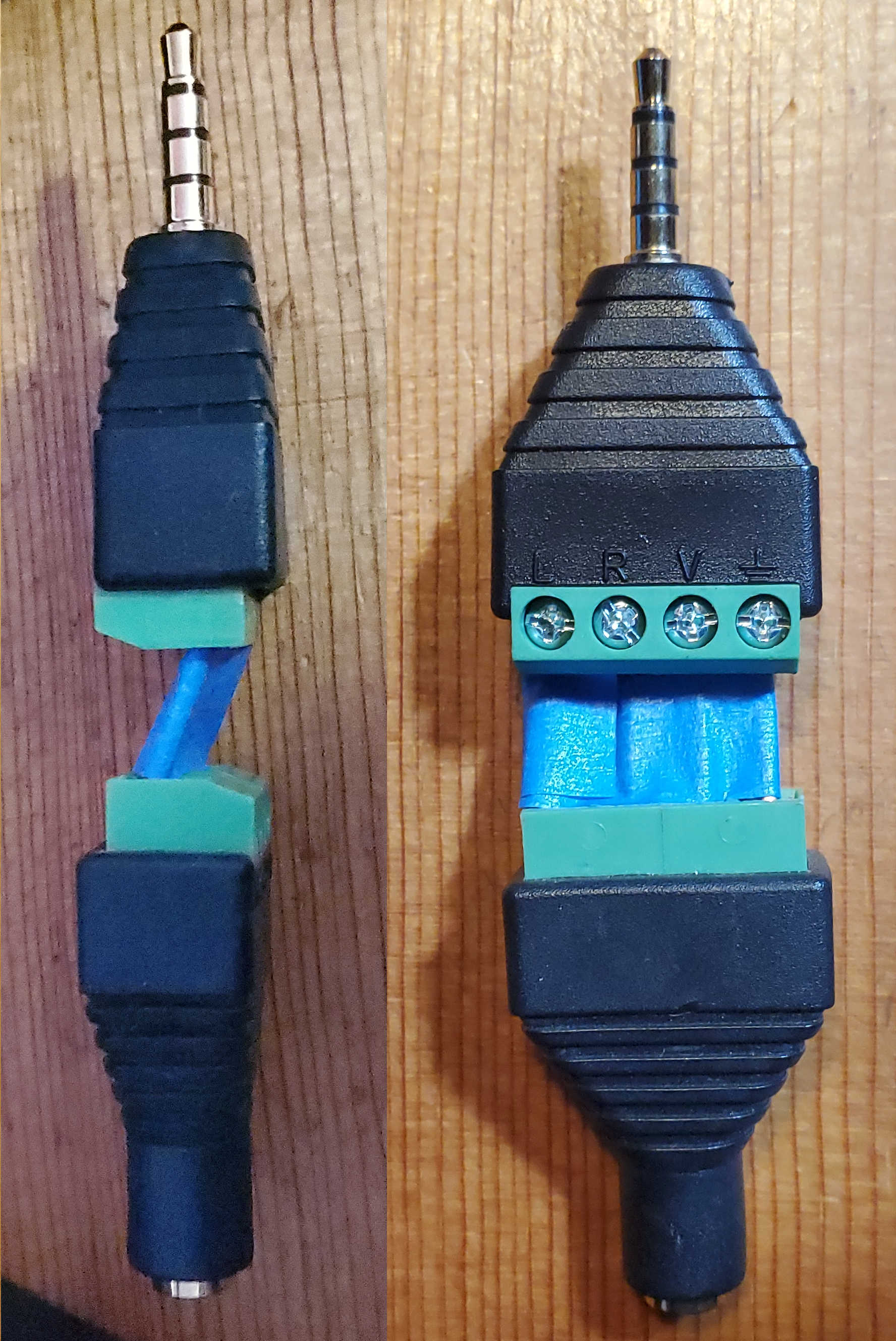
I built this adapter after seeing the huge signal levels from the V71. The L channel (Tip) has an inline 100K resistor. The other 3 channels are straight copper. I plug it into the digirig, and plug the cable into it. That way I don’t need to cut, solder, unsolder, resolder…etc.
** 1200 Baud (Pin 5 - PR1): Goes through standard radio audio processing, including pre-emphasis on transmit and de-emphasis on receive.
Expects lower I/O levels (around 40 mV p-p).
** 9600 Baud (Pin 4 - PR9): Bypasses the internal audio shaping (pre-emphasis/de-emphasis) and connects directly to the modulator/demodulator.
Expects a flat, higher-voltage input (often around 1-2 V p-p). 15 dB higher than 1200.
You can clearly see these levels in fldigi, because the 9600 levels will saturate (clip) the SIG display. I use the SIG display all the time to keep my fldigi RX audio p-p levels in recommended band.
I set up fldigi, which I am familiar with. I can trigger PT with fldigi and with VARA FM. I chose both NARROW (1200 bps, 1200 cable) and WIDE (9600bps, 9600 cable) in my VARA setup to test. I routinely use fldigi from my QTH, but have never connected to a VARA FM station from here. I am in a bit of a valley, and there are only 2 stations that I might hit, both questionable at any rate. So take all this as comment.
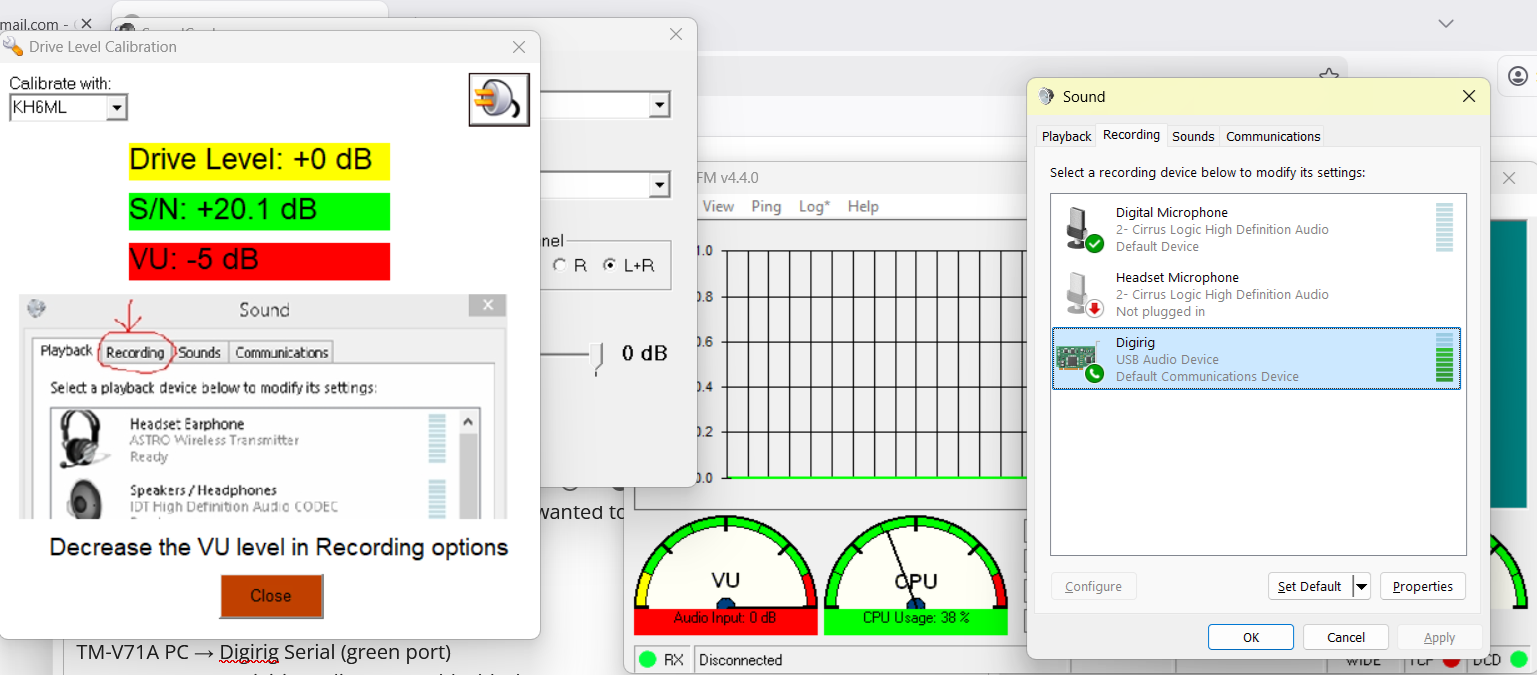
I see that you have digirig config as your Default Comm Device in the Sound dialog. I think it is recommended to run all these apps with digirig (SignaLInk, etc) config to be NEITHER Default Comm Device NOR Default Device, and let the app find the sound card in the table. You have done that I assume, though your VARA dialog is hidden by the Drive Level Cal dialog. With digirig config as Default Comm Device, it is susceptible to audio stream interference by Windows.
I don’t know if we are to select both L+R channels in VARA FM. digirig RX on L channel and TX on R channel, but all that might be handled by the time the signals leave digirig.
On 1200, 9600 I can trigger PTT on the V71. RX by another local radio and fldigi indicates good TX. On 9600, with the inline attenuator, VU meter is green. On 1200, without the inline attenuator, VU meter is green.
On 9600, if I tune the V71 to a NOAA station, I get fldigi SIG display in band. Closing fldigi (to release the COM port) and starting VARA FM, the VU meter clearly responds to NOAA transmissions, fluctuating in the green.