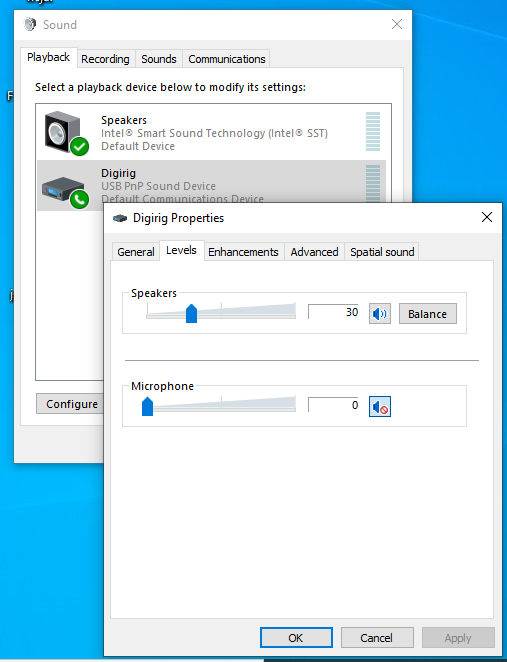
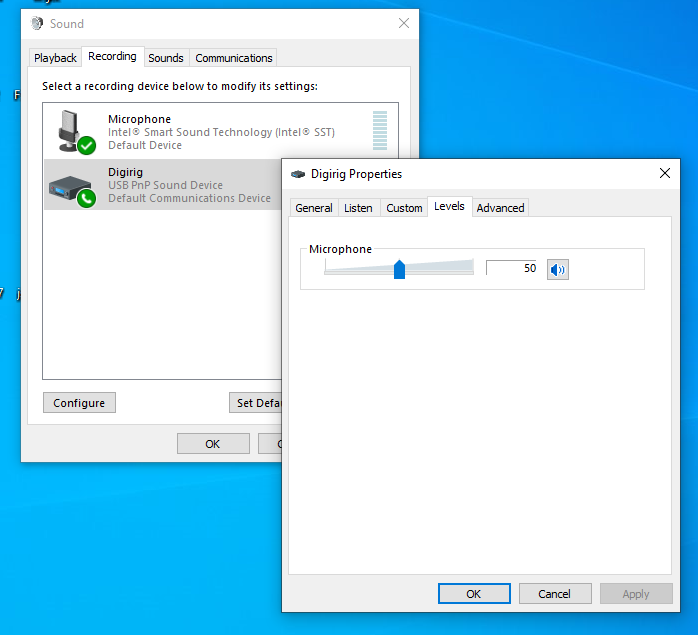
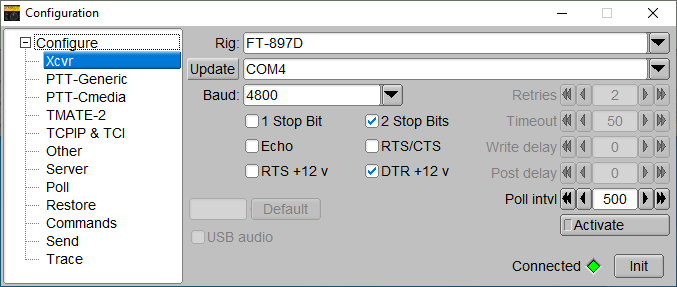
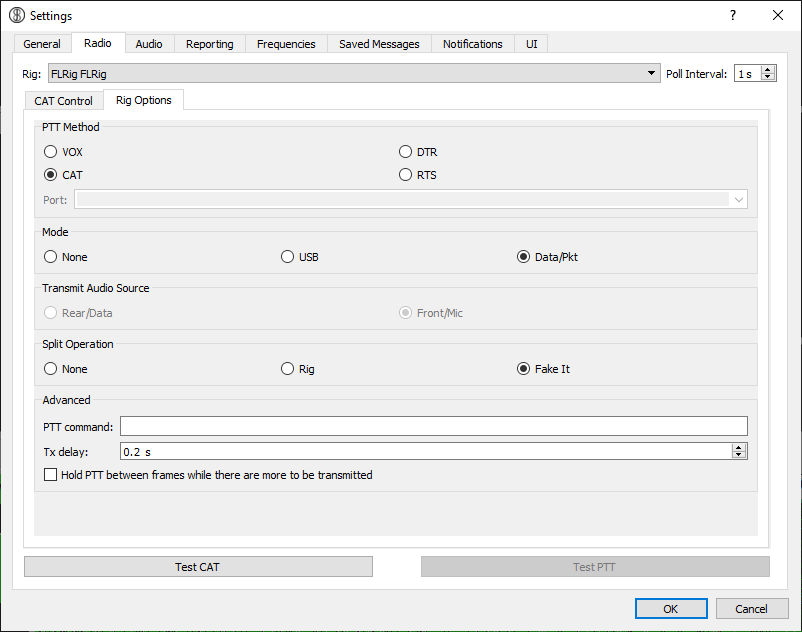
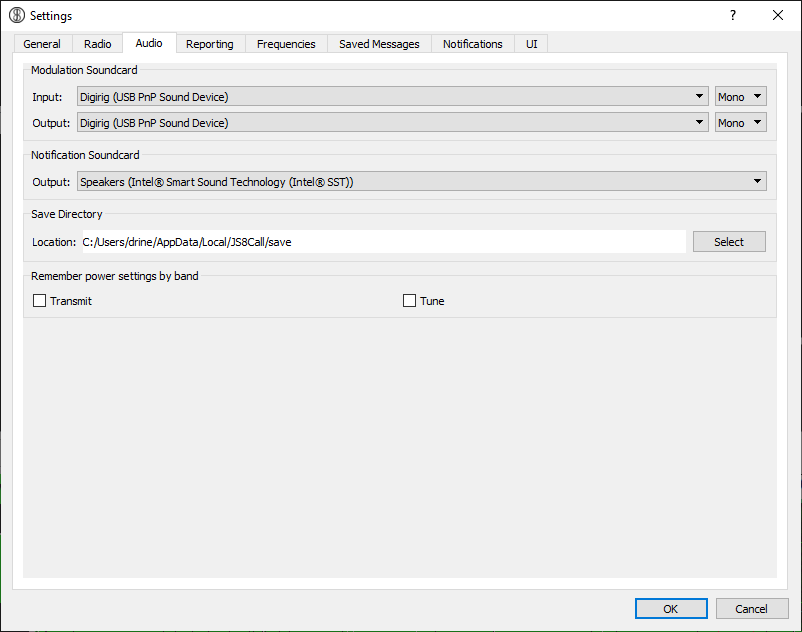
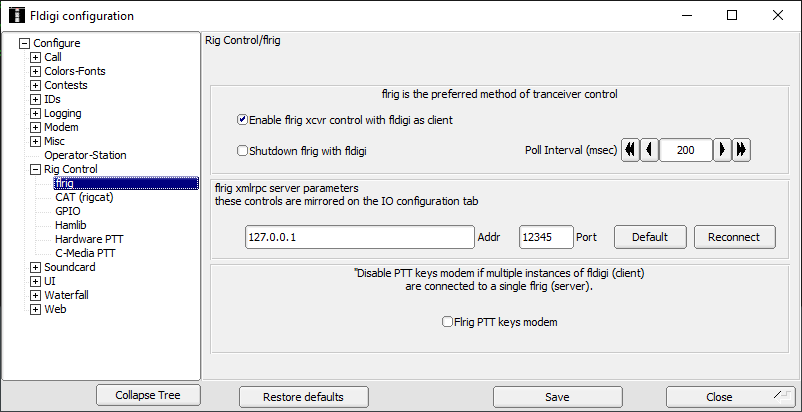
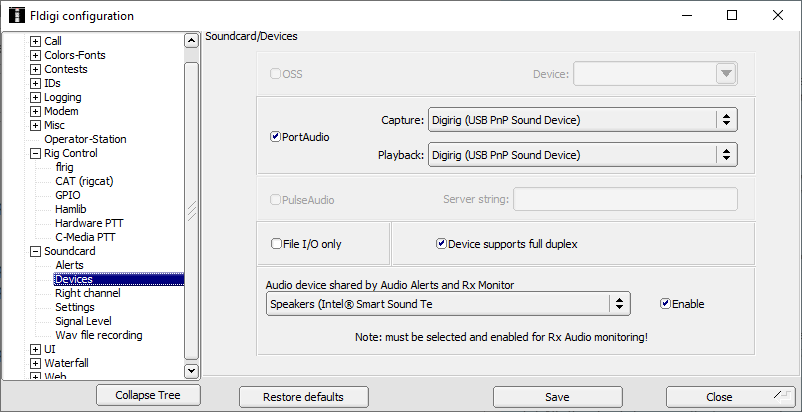
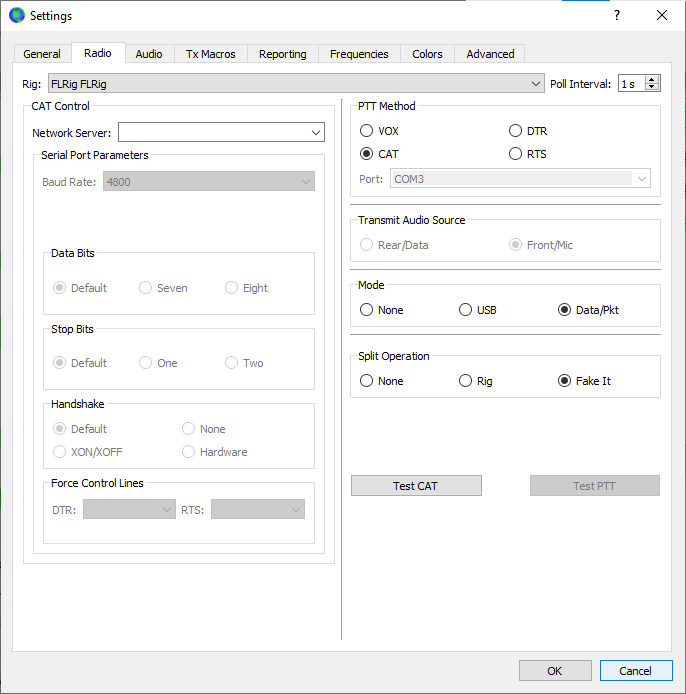
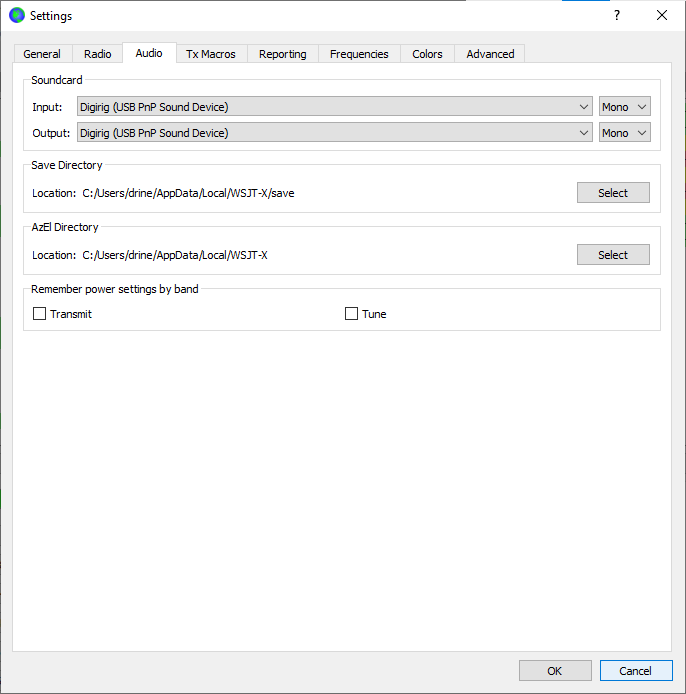
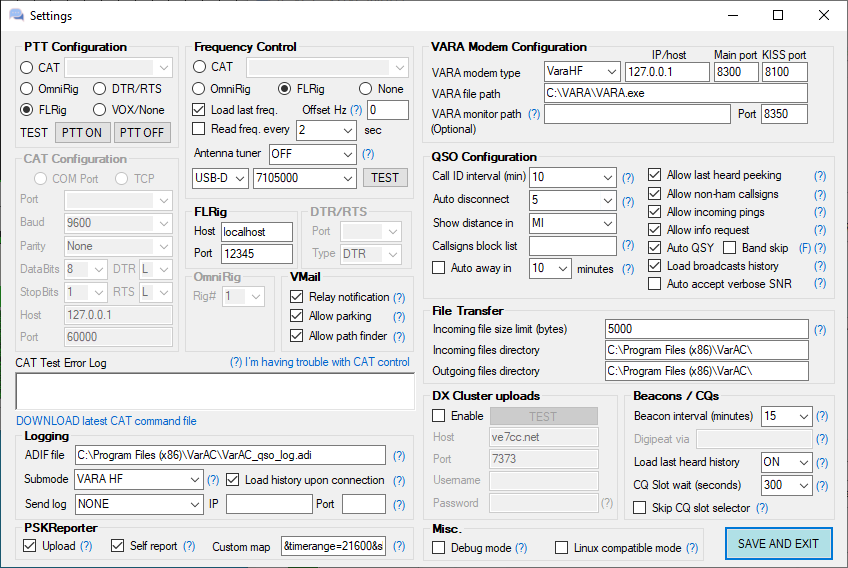
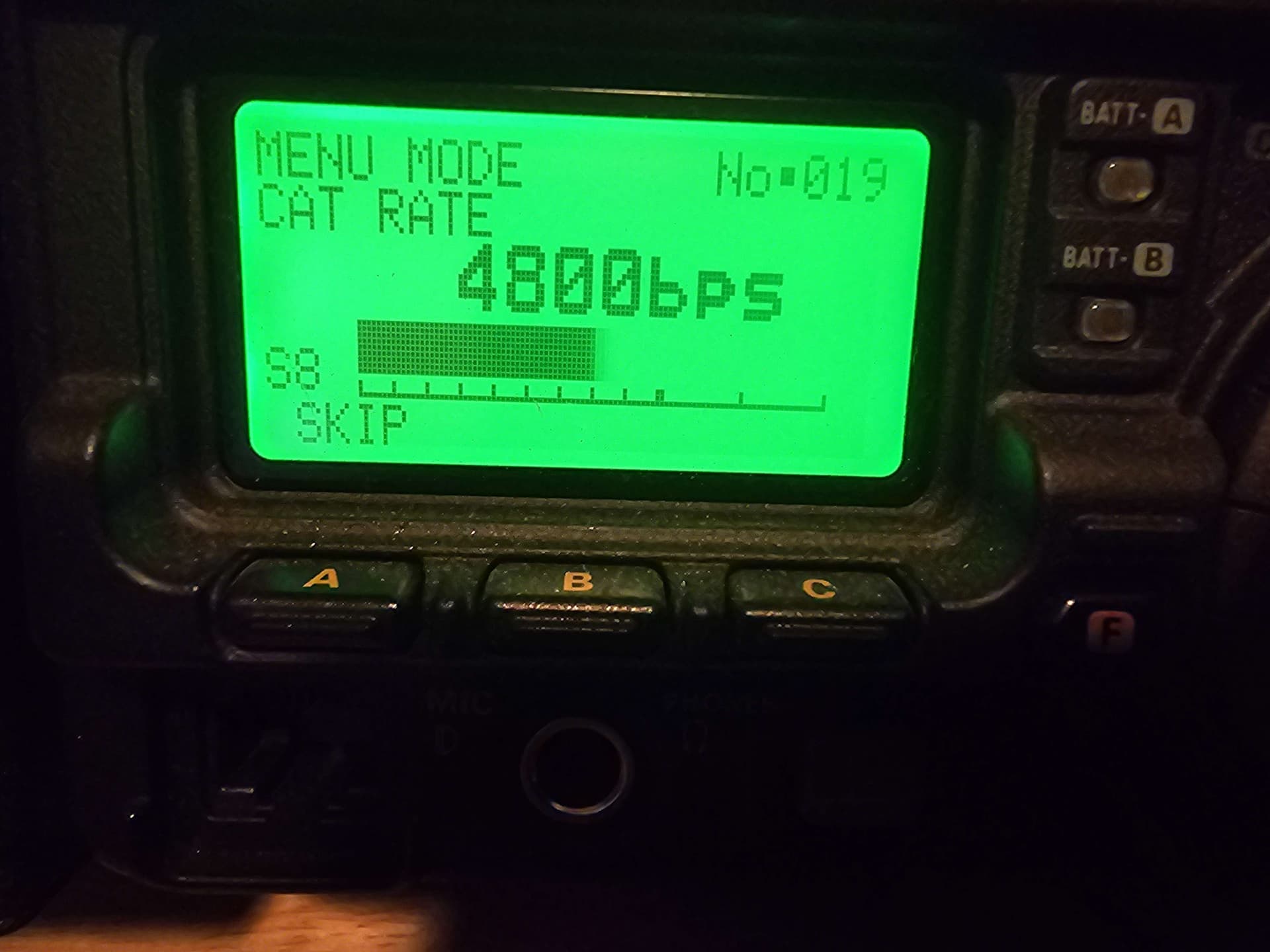
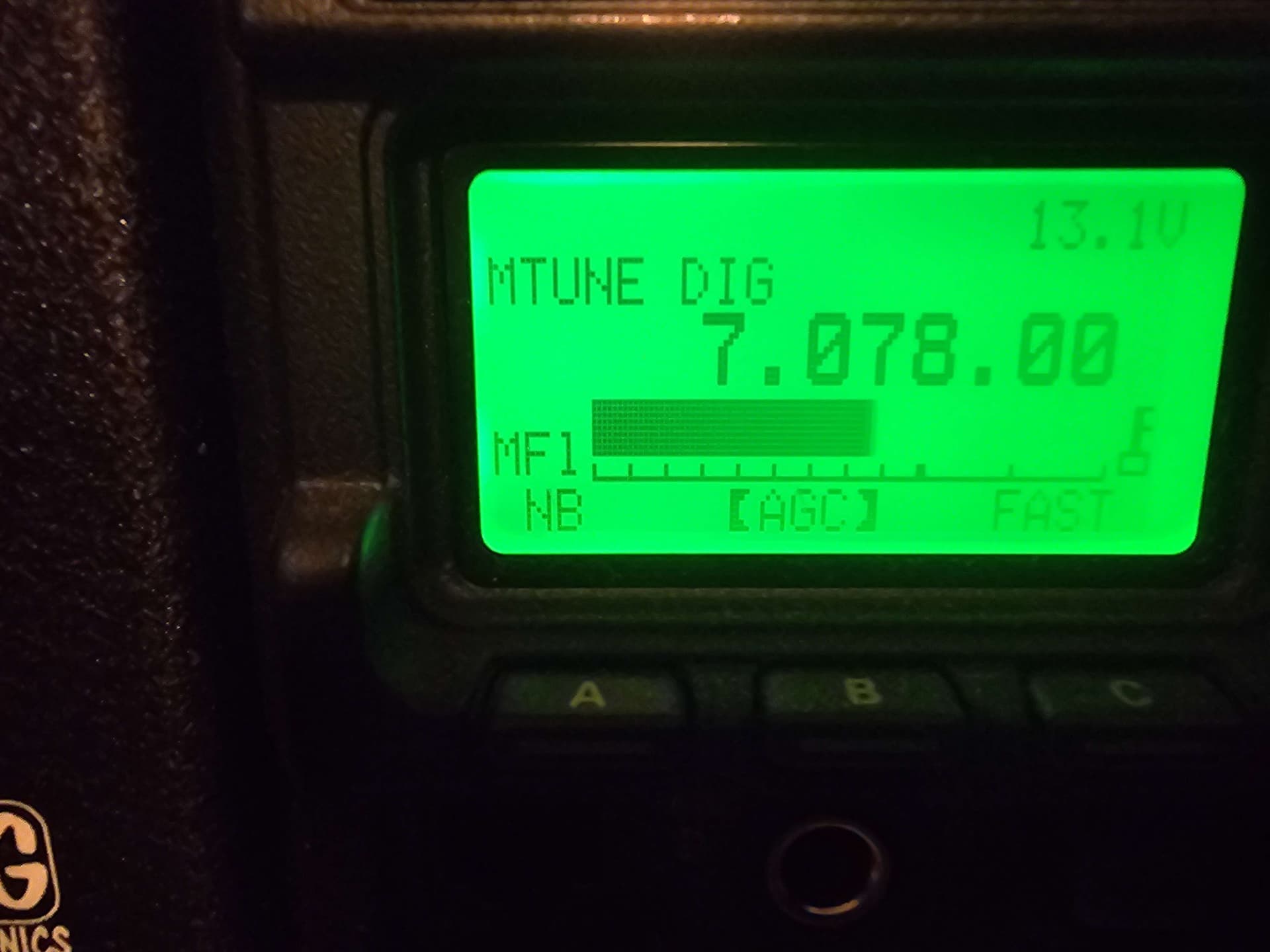
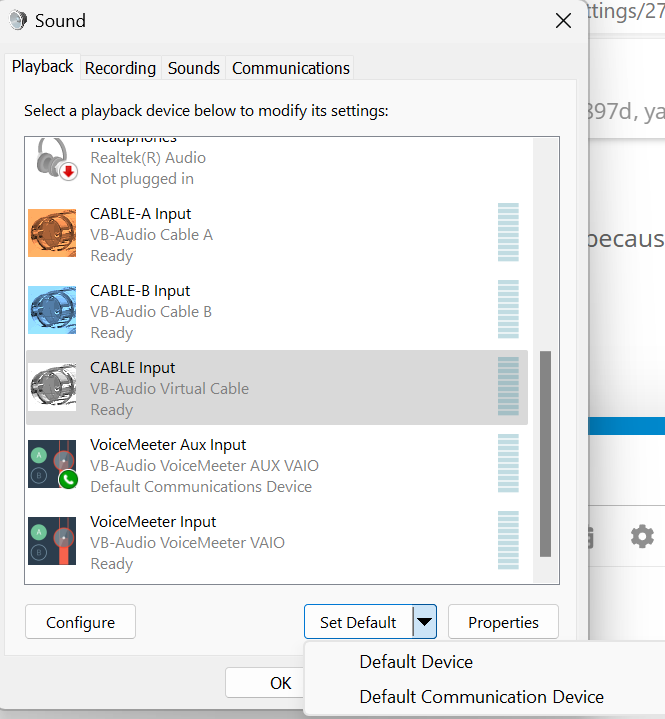
Here are all my settings for the FT-897, which is connected to an Evolve III Maestro Windows laptop with a digirig and cables. These are as close to universal settings as I have found for this transceiver. I don’t use any software attenuation with this setup. There may be other ways to set this up that work better, but this is what’s working for me. It may be a good starting point if you’re struggling to get this radio running.
Transceiver settings
RF Power Set (menu 75) of 50 watts and over creates enough RFI to cause connection issues with my laptop. Your mileage may vary. If you encounter strange, inconsistent connection issues, drop power, space equipment apart, ground equipment, and put ferrites on both ends of everything. 40 watts max does well with my setup.
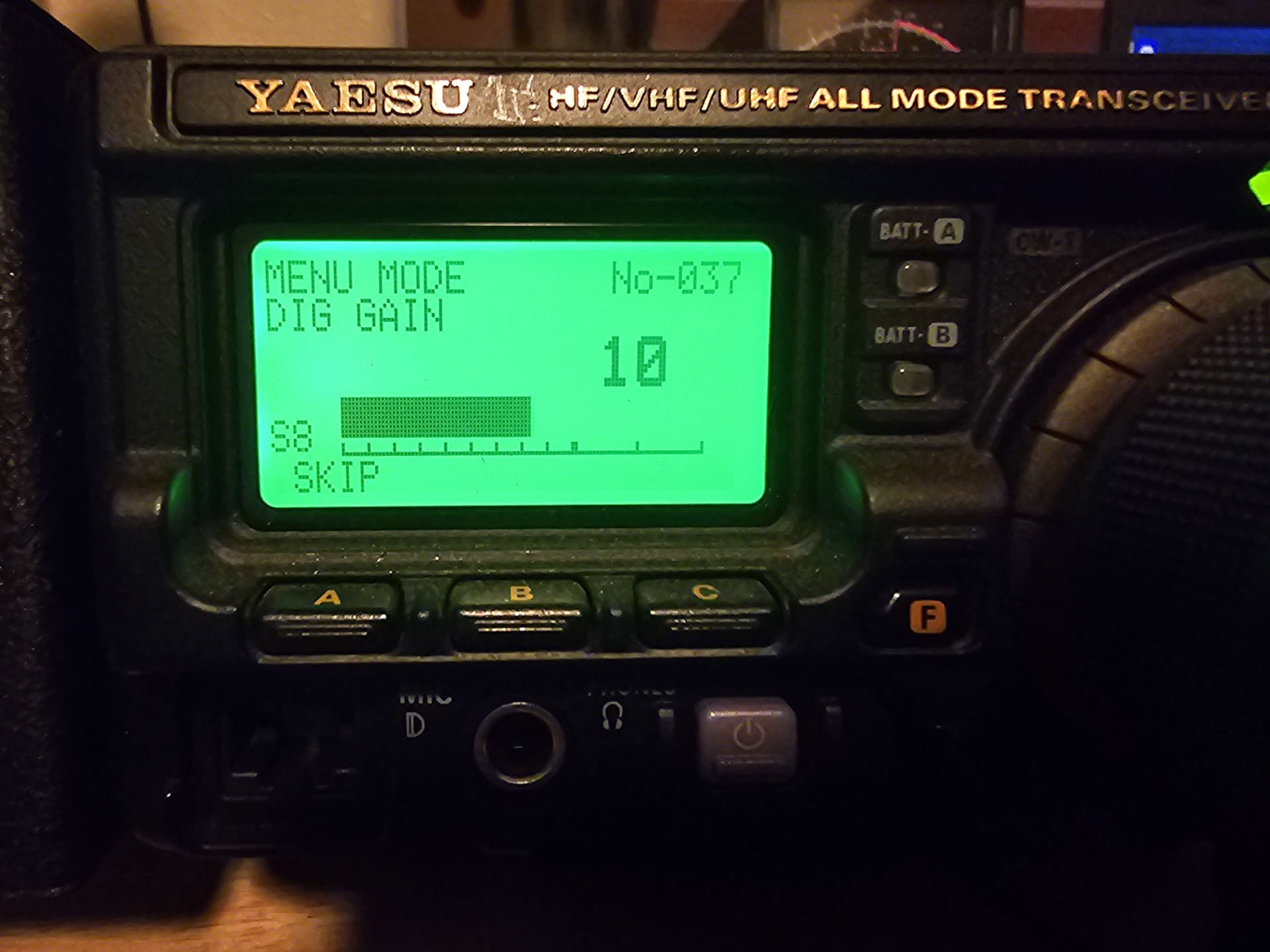
Dig Gain (menu 37) set to 8 or 10. This puts the ALC meter just above the “C” on the transceiver’s screen, and ensures full power output (measured with a meter plugged in under the transceiver front end). Some modes seem to need more or less Dig Gain. If the Dig Gain is much lower, the transceiver will have no output power.
Thanks for sharing. This is great info.
My only note is that I would move “default communication device” from Digirig’s audio components. These are used for voice over IP calls so if you answer a Skype call the other side might get a chorus of FT8 from your radio
I went through the process of working through install and setup of current versions of WSJT-X, JS8Call, and VARA just before Field Day. The mmsys.cpl tip is absolutely critical to getting things to work correctly.
I found that I had to set the Windows speaker output (the Digirig device) to 100% and enable AGC to get enough output for a reasonable signal strength in WSJT-X and JS8Call.
This seems counterintuitive to me and I was surprised at the boost in receive signal indicated in the software when operating.
I’m going to revisit my setup and check everything. I made some contacts using Winlink/VARA HF and FT8 for FD. I still have the nagging feeling that I don’t have my setup truly dialed in.
Thank you for taking the time to make this set of instructions for working with this legacy rig.