Trying to use Digirig with cat cable for programming Kenwood TM-V71E memories. Digirig shows up as COM10 in MCP-2A Version 3.22 software. I have the right cables. Programs gives error : cannot read from radio. Port speed is setup 9600 on each side (radio and PC). Also tried auto speed but no effect. Any clues anyone?
I hope so this was the order spec.
Digirig Mobile – RS-232 (DRMOB-RS232) x 1, Elecraft KX Digirig Cables Set – Combined Short Cable (ELEKXCOMBO) x 1, Kenwood TM-V71A Digirig Cable Set (TM71KIT1200) x 1, MiniDin6 9600-baud Audio/PTT cable (9600BMOBILE) x 1, Yaesu HT Audio/PTT Cable (YAESUHTMOBILE) x 1
Hi Denis, thanks for support. Solution found: first tested with Chirp, working. Later I found out the Kenwood has to be in menu mode or programming mode before transfer. Typical RTFM situation I guess. Everything works fine now.
Excuse my unfamiliarity with this radio. I was just given two of them to set up for our club. You say you got the DigiRig to work with Chirp. How did you get the radio into programming mode? I have tried several button and button combinations but the system never reads the radio. Please share anything that can get me going with reading this radio.
I only managed live editing with Chirp. Since I got the Kenwood software working I did not further investigate Chrip. I think you will have to put the radio’s in menu/settings mode in order to read and write settings just like the Kenwood software requires.
Cannot read from V71. Digirig 1.9, RS-232, “green” cable plugged into Serial port and into V71 PC port. I have used this digirig to work with SignaLink on HTs and V71As.
Just tested 2 other USB-RS232 adapters with 2 different Kenwood RS232-DIN cables. Both worked with 2 radios. Both worked at 19200. Both worked with chirp and MCP-2A v3.22.
I am puzzled by 2 statements that I see often:
The V71 is programmed “live”. Not true for me. I can connect to the radio, load from the radio, open a new radio file, and write to the V71. I can open a saved mc2 file when I am not connected to the radio, make changes, and later, connect to the radio and write to the radio. I don’t understand why chirp insists on calling this “live”, when it is the same sequence I use for all my radios. The one thing I have not checked is reading from the V71A, modding the data, and then NOT writing it to the radio. Then check to see if the radio was changed. But the MCP software has a separate Write to radio menu item, and I assume that I need to select that to write to the radio…else why have it?
“put the radio’s in menu/settings mode in order to read and write settings just like the Kenwood software requires” My manual says nothing about this. The MCP-2A Help says nothing about this. I just tested this, and it didn’t work for me. It might be the difference twixt the V71A and V71E.
Unfortunately, nothing else works with the digirig and V71A. Programming an HT with the digirig has worked. digirig with SignaLink and the V71A has worked. I think this is my first foray into the programming of the V71 with digirig. Cycling power on radio and laptop no joy. Not sure how to test cable or digirig module. I have also the TTL version and the mini version. Driver is Silicon Labs. I have used digirig with the serial port PTT on the V71A.
edit 20260228a: Found another post that mentioned DIN8 needs pins 1&2 shorted, so I checked mine. They are shorted.
I think I found the problem. I ordered a TTL and an RS-232 at the same time. When they arrived, because there is no external indication of which is which, I immediately put labels on. I use Avery removable labels in 1/2 x 3/4”, 1/2 x 1-3/4”, and 1/4” dots. That way I can relabel anything with little effort.
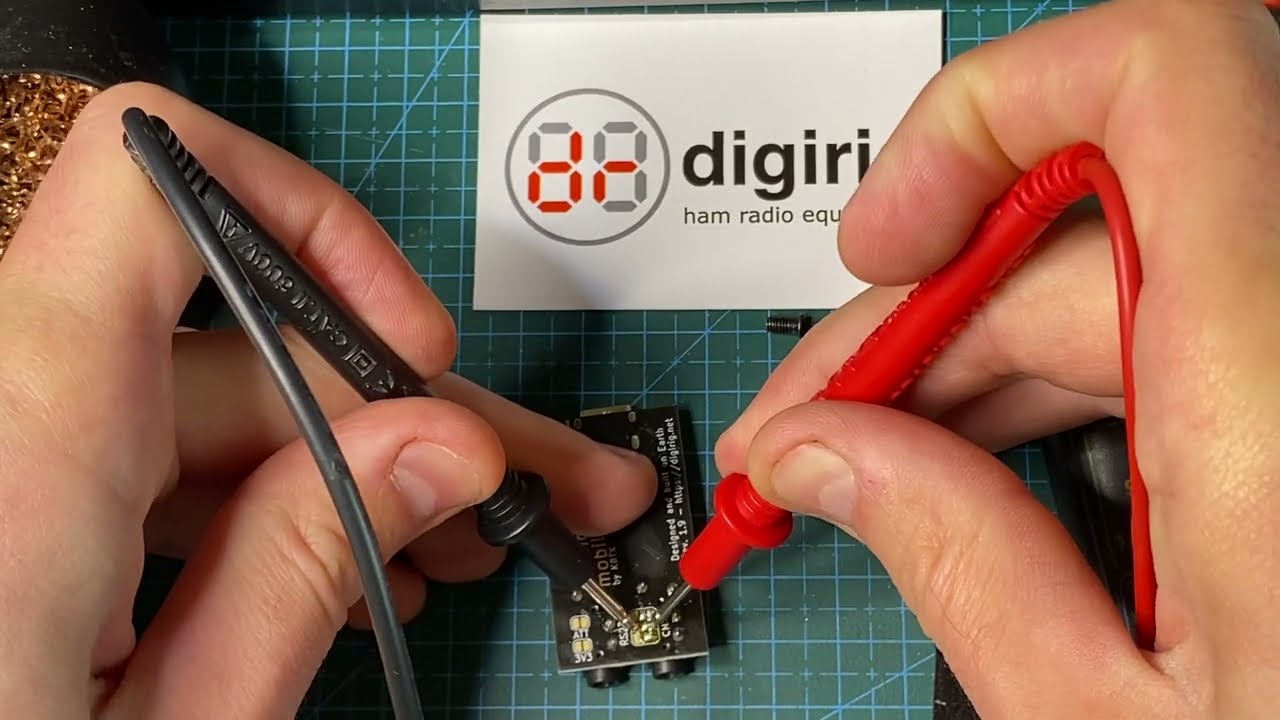
Trouble shooting this problem. I watched this vid.
Not a good vid at all. Could have really benefited from closer view. The first time the RS-232 mod was done, I missed the fact that the solder was being used to bridge. In fact, as I watched the test for open circuit twixt adjacent pads, I thought to myself, “Of course there are no shorts. All that we have now is solder on pads.” That’s because it wasna mentioned, and I rarely use solder bridging, so I wasna prepared for that. Not until I watched the CI-V mod did I realize what was happening. I reviewed the RS-232 mod, and then I understood that we are to use solder bridges.
When I opened the TTL digirig, there was a lot of flux on the board, so I used alcohol wipes to clean the board. When I opened the RS-232 digirig, the traces for the two (four) pads were cut, but there is no solder. In fact, all the pads are open among them. So my next step will be to solder the pads identified in the vid. I’ll edit this post to indicate success or failure.
Edit 20260301a: I made the mods in the vid. Checked for shorts as shown. Every connection was open except the “lower left to the upper right”. No joy, even at 9600,8,N,1. I connected my other USB-RS-232 adapter and Kenwood cable. Downloaded from radio. Sooo? Cable or board?
Live editing on the Kenwood V71A: real or imagined? Once again, I tested this feature using the MCP-2A software. I read from the radio, changed a field, tabbed to a new field, causing the field to be “updated”, and closed MCP without writing to the radio. The field was NOT changed on the radio.
I then ran chirp, and duplicated the steps. As soon as I tabbed away from the field, in this case the name of a memory, it updated on the V71A. THIS IS A CHIRP BUG, not a radio requirement !! I have written to the chirp dev team in the past.
I don’t know if there was once a V71 firmware version that required “live” updates, and I don’t know if there was an MCP program version that automatically did “live” updates, but I have been using the V71s for years with MCP, and have never seen “live” updates. Currently MCP-2A v3.22, TM-V71A v2.12. In neither case did I need to put the V71A into any “programming” or “menu” mode.
I don’t have a lot of insight into V71’s inner workings when it comes to programming or the implementation of the software that you attempt to use for it, but as far as Digirig goes, let’s make sure you use Digirig Mobile in RS-232 configuration, and it works.
The point of concern is that you mentioned that the board had signs of tampering including disconnected pads and flux. This would never be a case with the new unit. Looking at the order history, I find one order from you last year, but it contains no Digirig Mobiles. If you purchased your Digirig in the secondary marked or as a returned/used unit on Amazon, then all the functionality needs to be thoroughly tested. For the serial port this means a loopback test as demonstrated here:
If programming still doesn’t work after confirming the successful loopback, then another possibility is that the software requires the use of the hardware flow control which is not wired in Digirig Mobile. In that case you’ll have to rely on another serial interface for the programming.
Thanks for the troubleshooting link. I’ll give that a try. As for the rest, I’m not sure anything was tampered with. I just noted the conditions of the boards as found, because that is the way I analyze problems. I assume any mfg process can have glitches. The purchase was through digirig, so I’ll take the rest of this off the forum. I’ll update you as I find the time to do the testing. I sure don’t know how the other cables work. I’ll test pins 1,2 for shorts. ~R~
Chirp only works with the V71 in live mode. MCP-2A works in the better, non-live way.
PA4J: you said that you found a solution. Is this with a V71E? The service manual is the same for both models. What exactly worked? Both chirp and MCP-2A don’t work for me with V71A. MCP-2A does not need the menu mode on the V71A to read to and write from the radio. Did you configure the Silicon Labs COM port driver, or just use it as installed?
 this was the order spec.